Advance invoices
Issue an advance invoice when a customer pays before delivery. VAT on a prepayment is due when the money is received (ZDDV-1, article 33), so the prepayment needs its own tax document before the final invoice exists. Once you deliver, you deduct the advance on that customer’s final invoice.
An advance invoice can currently be issued only for a bank transfer. Cash and card advances are refused.
Create an advance invoice
- In the left menu open Avansni računi and click Nov avansni račun.
- In Stranka choose the customer who paid.
- In Znesek avansa (bruto) enter the amount including VAT that the customer paid. The Razčlenitev DDV section shows net, VAT and gross as you type.
- Choose Stopnja DDV and check Datum izdaje.
- In Za kaj je predplačilo describe the delivery the prepayment is for. The field is required.
- In Datum prejema predplačila enter the day the money arrived, if it is not the issue date. It cannot be later than the issue date. Fill in Opombe if needed.
- Click Ustvari avansni račun.
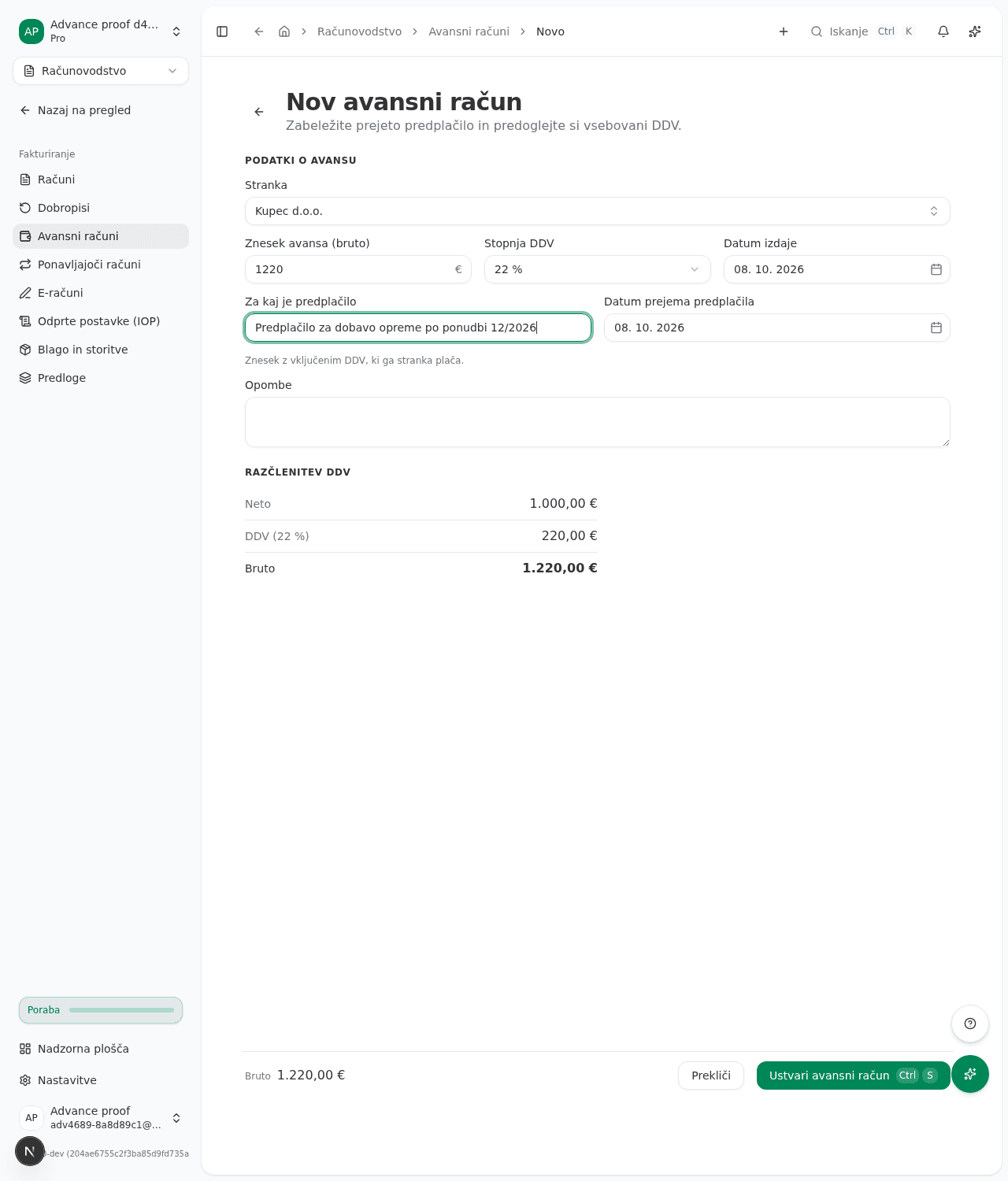
The advance is created as Osnutek and has no number yet.
If the money is already in the bank
When the chosen customer has money received with no invoice, the section Prejeta plačila te stranke brez računa appears below the form. Fill in the VAT rate and the description above first, then click Izdaj avansni račun next to the payment. The advance is issued with the day the payment was received as its prepayment date, and the payment is spent on it, so you do not deduct it separately.
Issue the advance invoice
- On the Avansni računi list open the draft.
- Click Izdaj and confirm the Izdam avansni račun? dialog.
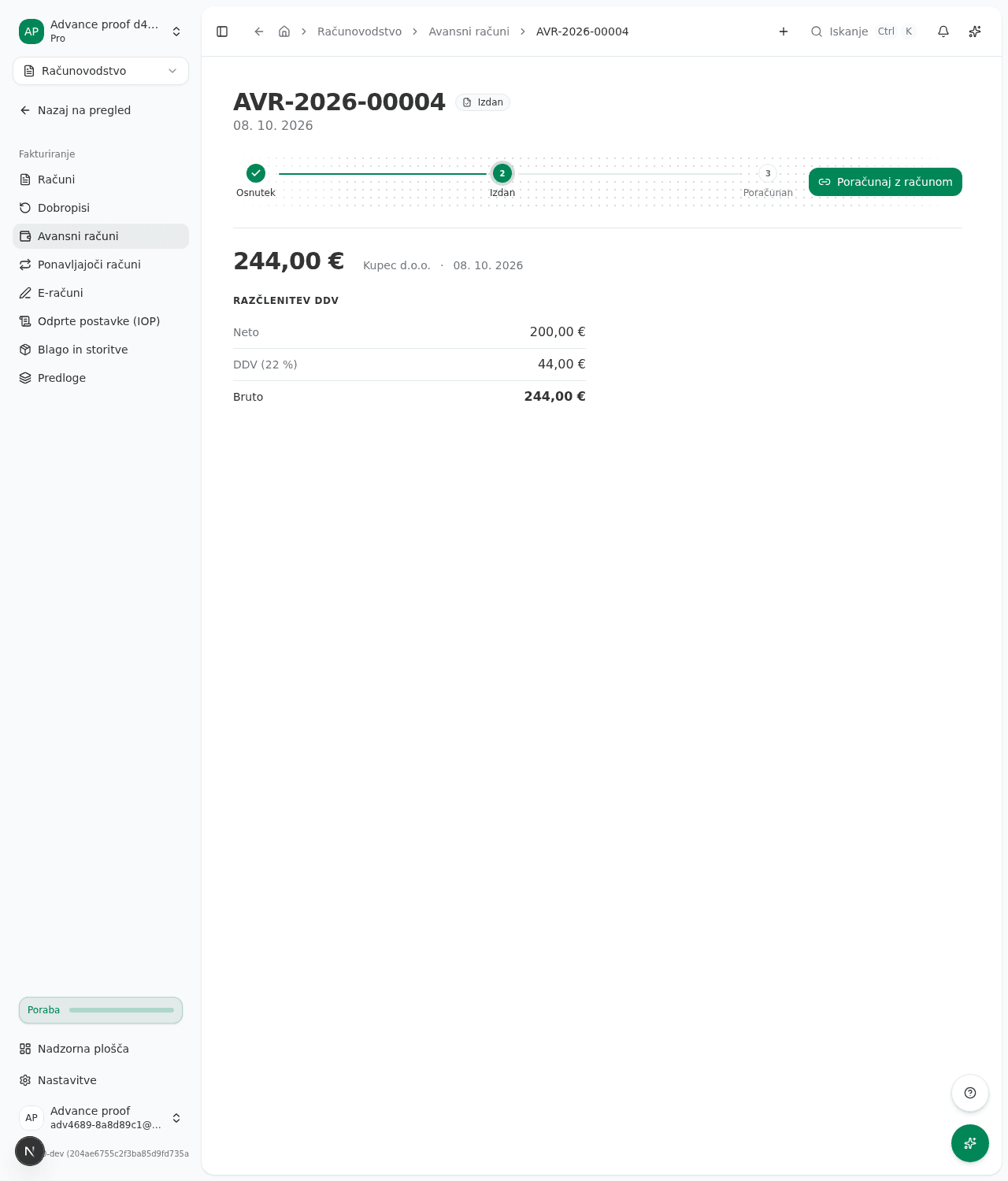
The advance gets a number like AVR-2026-00001, which cannot be released or given to another document. VAT on the prepayment is declared in the period the money was received, not the period of issue (ZDDV-1, article 33). If the money arrived on 28 May and you issue the advance invoice on 3 June, the posting and the VAT are in May.
If the period of receipt is already closed, the advance invoice cannot be issued. Reopen the period, issue the advance invoice, then correct the VAT return already filed for that period.
If the VAT return or KIR ledger for the month of receipt is already filed but the period is still open, the advance invoice is issued. The app warns you to correct the filed document and offers a button that opens it.
Deduct the advance on the final invoice
- Issue the final invoice for the delivery as usual.
- Open the issued advance and click Poračunaj z računom.
- In the Poračun avansnega računa window choose Končni račun and click Poračunaj.
The advance is deducted in full. Only issued final invoices of the same customer are offered. The VAT on the prepayment is deducted in the period of the final invoice.
What success looks like
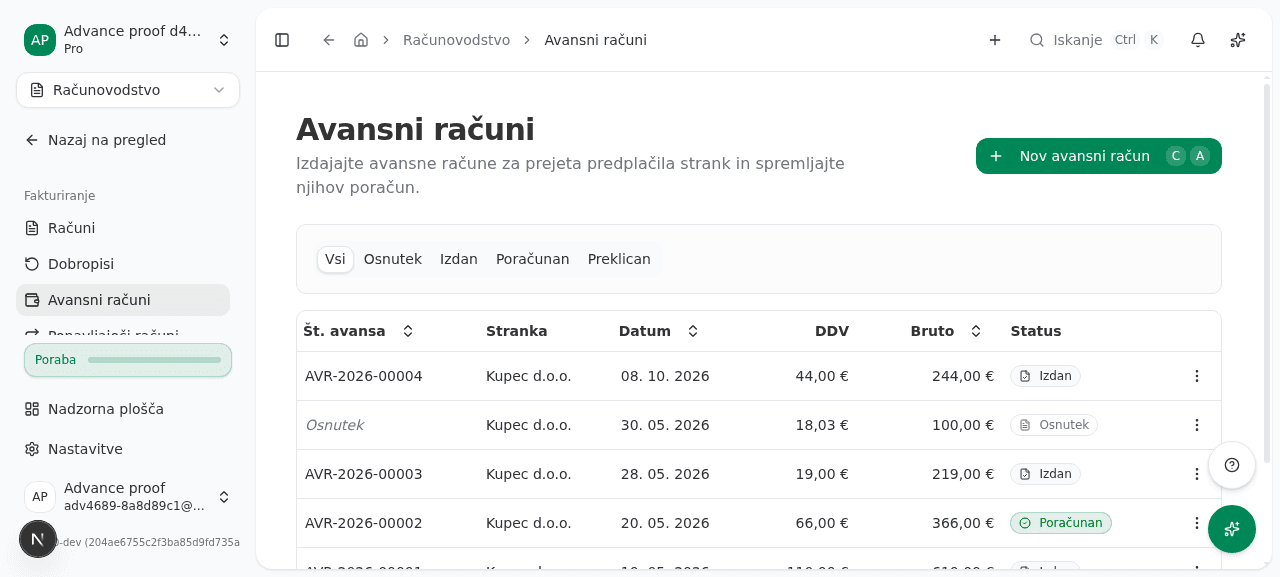
The status in the list changes to Izdan, and after deduction to Poračunan. The tabs Osnutek, Izdan, Poračunan and Preklican filter the list.
Cancelling
A draft can be cancelled with Prekliči avansni račun. An issued advance cannot be cancelled.
Common issues
- A prepayment cannot be used for an invoice. If the money is not a prepayment for an already issued invoice but for a future delivery, issue an advance invoice for it. The reasons are described in Why can’t this customer advance be applied to this invoice?
- No invoice is offered for the deduction. The final invoice must be issued and addressed to the same customer as the advance.
- The advance invoice cannot be created. Check that Stranka and Za kaj je predplačilo are filled in and that the amount is above zero. A 0 % advance invoice for a customer outside Slovenia cannot be issued for now. A prepayment for goods sent to another EU country does not need one, because no VAT is charged on it.