Flat rate sole traders in VegaERP
A flat-rate sole trader (normirani s.p., taxed on deemed expenses) keeps no double-entry books. VegaERP deliberately switches off a whole set of features for that regime, and just as deliberately leaves others running. This page says which is which, how and where you set the tax regime, and why the First tax year field matters for records already imported from earlier years.
The flat-rate regime is meant for a sole trader (s.p.) only. Choose it only if you are one.
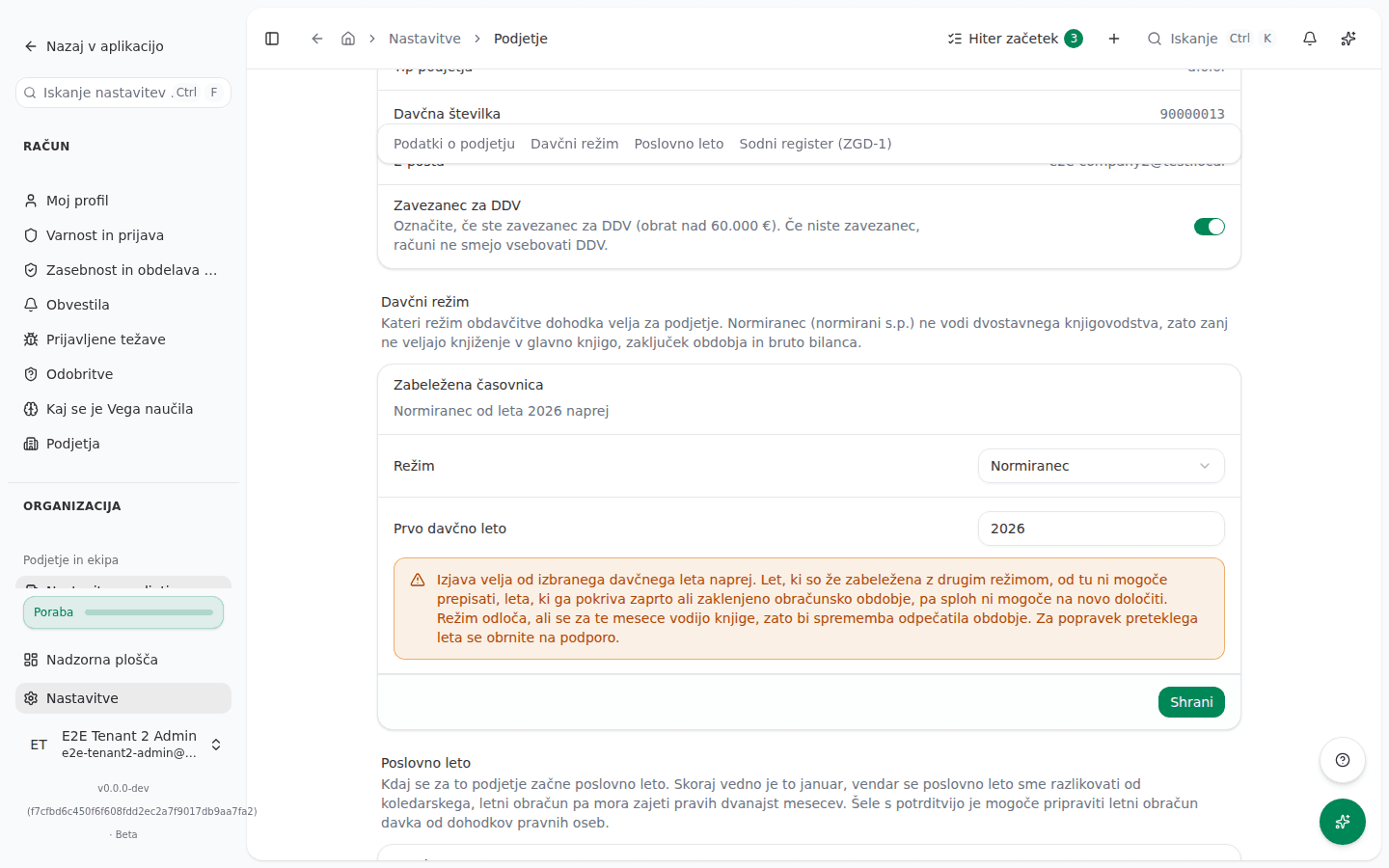
Setting the flat-rate regime
- Open Settings → Company.
- Find the Tax regime section.
- In the Regime field, choose Flat rate (normiranec).
- In the First tax year field, enter the tax year from which you have been flat rate. This field on the card must not be left empty: an empty field is saved as this year, not as “always” (see below). If you have always been flat rate, enter the earliest year the field accepts, 1970.
- Click Save.
- In the Change the tax regime? dialog, check the summary and click Confirm.
What switches off, and why
A flat-rate trader keeps no double-entry books, so VegaERP posts no journal entries for one. Specifically, for a flat-rate tenant:
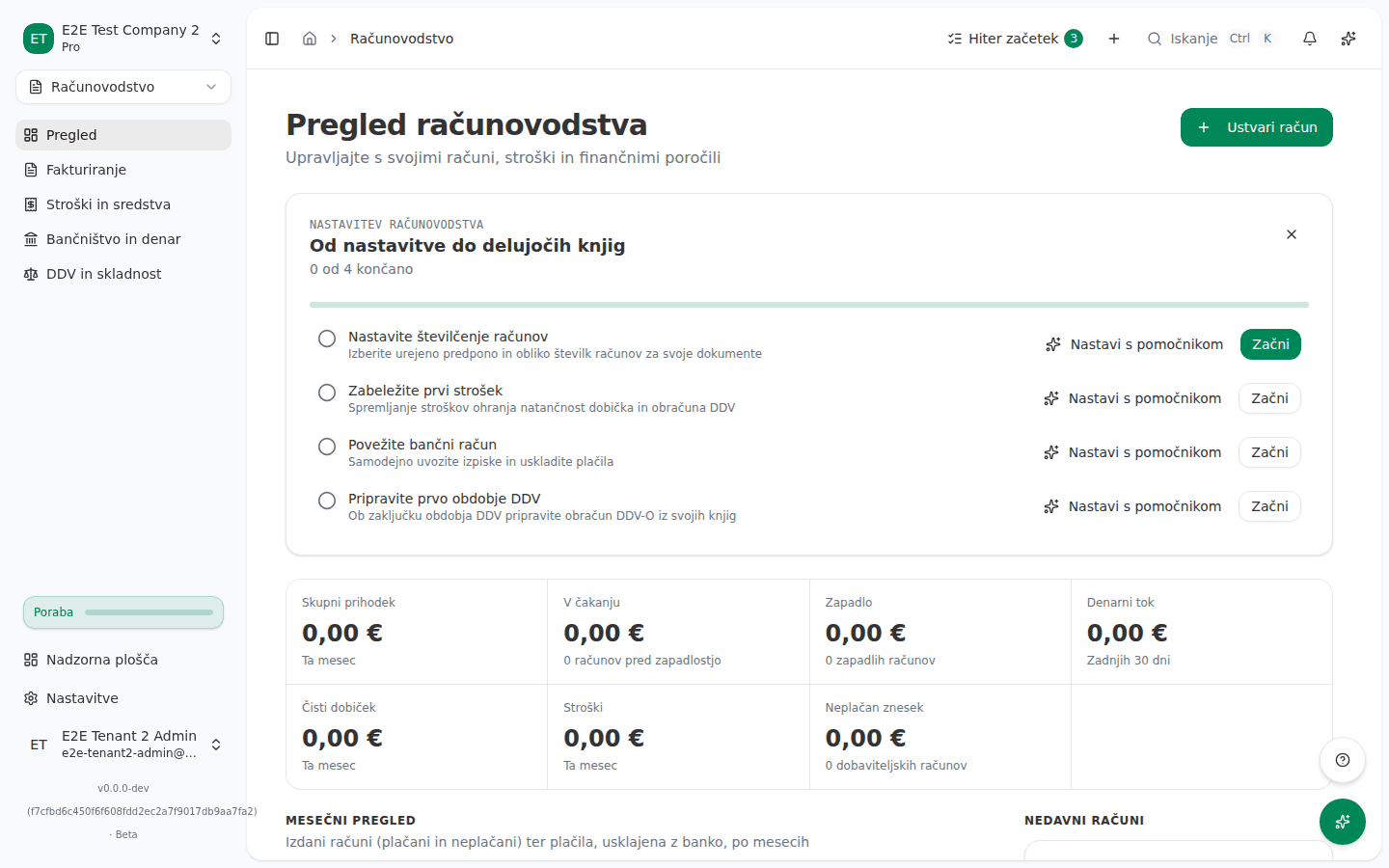
- The Accounting & Reports group disappears from the left menu. It holds the chart of accounts, journal entries, trial balance, balance sheet, financial reports, ledger export, budgeting, dimensions, accounting periods, DDPO, AJPES and Intrastat. This is a menu cleanup only: a link to one of these pages you may already have saved still works, it just will not be in the menu. The Accounting module itself stays visible, because issuing invoices and VAT books still apply.
- Issuing invoices and bank reconciliation create no journal entry. An invoice still issues and a bank transaction still matches to it as before; in the background, no journal entry is written, because there is nothing to post it to.
- The accounting periods page shows a notice that period close does not apply, and has no button to create a new period. Periods that already exist (from an earlier stint of keeping double-entry books, for example) stay listed, and can still be closed, locked or reopened.
- Period-end FX revaluation does not run. The revaluation preview card does not render at all for a flat-rate tenant, because there are no foreign currency open items in a general ledger it does not have.
- Vacation-pay provisions are not accrued. With no general ledger to post the provision into, there is no drift between the accrued and the actually used provision to reconcile for a flat-rate tenant.
- Payroll runs cannot be created. The create button on the payroll runs list is disabled, and the new-run screen shows the notice Payroll isn’t available for flat-rate businesses instead of the form.
- DDPO does not apply to a flat-rate trader. This is not an app limitation but a legal fact: a sole trader, flat rate or not, never files DDPO, regardless of tax regime; they file personal income tax on business income instead. See The DDPO return for more.
- The AJPES annual report is unavailable. A flat-rate trader is exempt from AJPES annual reports (ZGD-1, Article 73(4) and Article 59(1)). See AJPES annual report for more.
Flat rate “always”, and the First tax year field
The First tax year field tells VegaERP from which tax year onward you count as flat rate. What an empty field means depends on where you fill it in:
- On the Tax regime card in settings, an empty field is saved as this year, not as “always”. To mean “always”, enter the earliest year the field accepts (1970).
- During initial company setup, and when an accounting firm imports a client, the same field may be left empty, and there it genuinely means “always”.
This is not a cosmetic detail. When a company has always been flat rate and the field is correctly set to “always” (empty at initial setup, or 1970 on the card), any imported historical records (from Minimax, for example) are correctly recognized as flat rate and never attempt to post to the general ledger. If VegaERP instead counted you as flat rate only from this year, every imported document from an earlier year would try to post into a general ledger that, for those years, legally does not exist.
The regime always applies to a whole tax year, because a regime boundary can only fall on 1 January. Enter the first tax year as a year, not a date.
Switching regime mid history
A regime statement applies from the chosen tax year onward. The Tax regime card’s Recorded timeline shows every period recorded so far, for example that the company was flat rate from 2022 to 2024 and then back on the standard regime.
Within the current, still-open period, a statement can be corrected freely: if the company is recorded as standard regime from 2026 onward and no year has closed since, that same open period can be rewritten to flat rate and back without restriction.
Two things a statement cannot do:
- It cannot delete a past period that has already closed under a different regime. If the chosen change would remove a period that has already closed (for example, flat rate from 2022 to 2024, before the company moved to the standard regime), the statement fails. To correct a wrongly recorded past period, contact support.
- It cannot change the regime for a year covered by a closed or locked accounting period. The attempt fails, because the change would unseal books that were already filed. The message names which period is closed or locked, and suggests a fix: for a closed period, reopening it or stating the regime from a later tax year; for a locked period, which can no longer be reopened, only the latter.
The same holds in reverse: a company that was flat rate in a closed year cannot retroactively become subject to double-entry books for that same year without first reopening that accounting period.
What still works
The flat-rate regime switches off double-entry books only, not sales or payments. These keep working for a flat-rate trader:
- Issuing and fiscalizing invoices with the tax authority, the same as for a standard-regime company.
- VAT books and DDV-O, if the company is VAT registered. VAT registration and the tax regime are separate settings; a flat-rate trader can be VAT registered too.
- Bank reconciliation and matching transactions to invoices, just without a journal entry behind it (see above).
- Contacts, deals and the rest of CRM, which do not depend on the general ledger.
Eligibility for the flat-rate regime
Only a sole trader (s.p.) can choose the flat-rate regime; a legal entity files DDPO, and a sole trader instead always files personal income tax on business income (ZDDPO-2, Article 3).
The conditions for who can enter and stay on the flat-rate regime changed for 2025 and again for 2026. VegaERP does not check eligibility: it only records the regime and the first tax year you enter in settings yourself. For the exact conditions and threshold amounts, see the FURS page on income from business activity: fu.gov.si .
A few things that hold regardless of the year:
- The share of deemed (flat-rate) expenses that reduces the tax base is set by ZDoh-2, Article 59 (as amended by ZDoh-2AB, Official Gazette of the Republic of Slovenia 104/2024); the share depends on whether you are insured full time and on your revenue.
- Entering or leaving the flat-rate regime is declared to FURS through eDavki by 31 March of the year the declaration applies to; a newly registered sole trader has 8 days from registration for the first declaration (ZDavP-2, Article 308).
- A flat-rate trader keeps only a register of issued accounting documents and a register of fixed assets, not single or double-entry books (Rules on business books and other tax records for individuals carrying on an activity, Official Gazette of the Republic of Slovenia 138/2006, Article 3). A VAT-registered trader also keeps VAT records (KIR/KPR) on top of that.
- Flat-rate taxation does not exempt from VAT: VAT registration is decided under ZDDV-1 (Article 94) regardless of the tax regime.
What success looks like
After clicking Confirm, the message Tax regime saved appears, and the Recorded timeline card adds a new row with the chosen regime and year. On the next page refresh, the Accounting & Reports group disappears from the left menu (or, on switching back to the standard regime, reappears).
Common issues
- The Accounting & Reports group does not show in the menu at all. This is not a bug: the company is recorded as flat rate and therefore keeps no double-entry books. Check the Tax regime card under Settings → Company.
- A payroll run cannot be created. The new-run screen shows the notice Payroll isn’t available for flat-rate businesses. If the tax regime is set wrong, correct it in company settings.
- Changing the regime does not save, and the message mentions a closed accounting period. The year you are trying to change is covered by an already closed accounting period. Reopen that period, or state the regime from a later tax year.
- Changing the regime does not save, and the message mentions a locked accounting period. A locked period can no longer be reopened, so state the regime from a later tax year instead.
- A recorded closed period cannot be deleted from the card. This is by design: a statement can only delete the current, still-open period, not one that has already closed. To correct a closed period, contact support.