Exception inbox
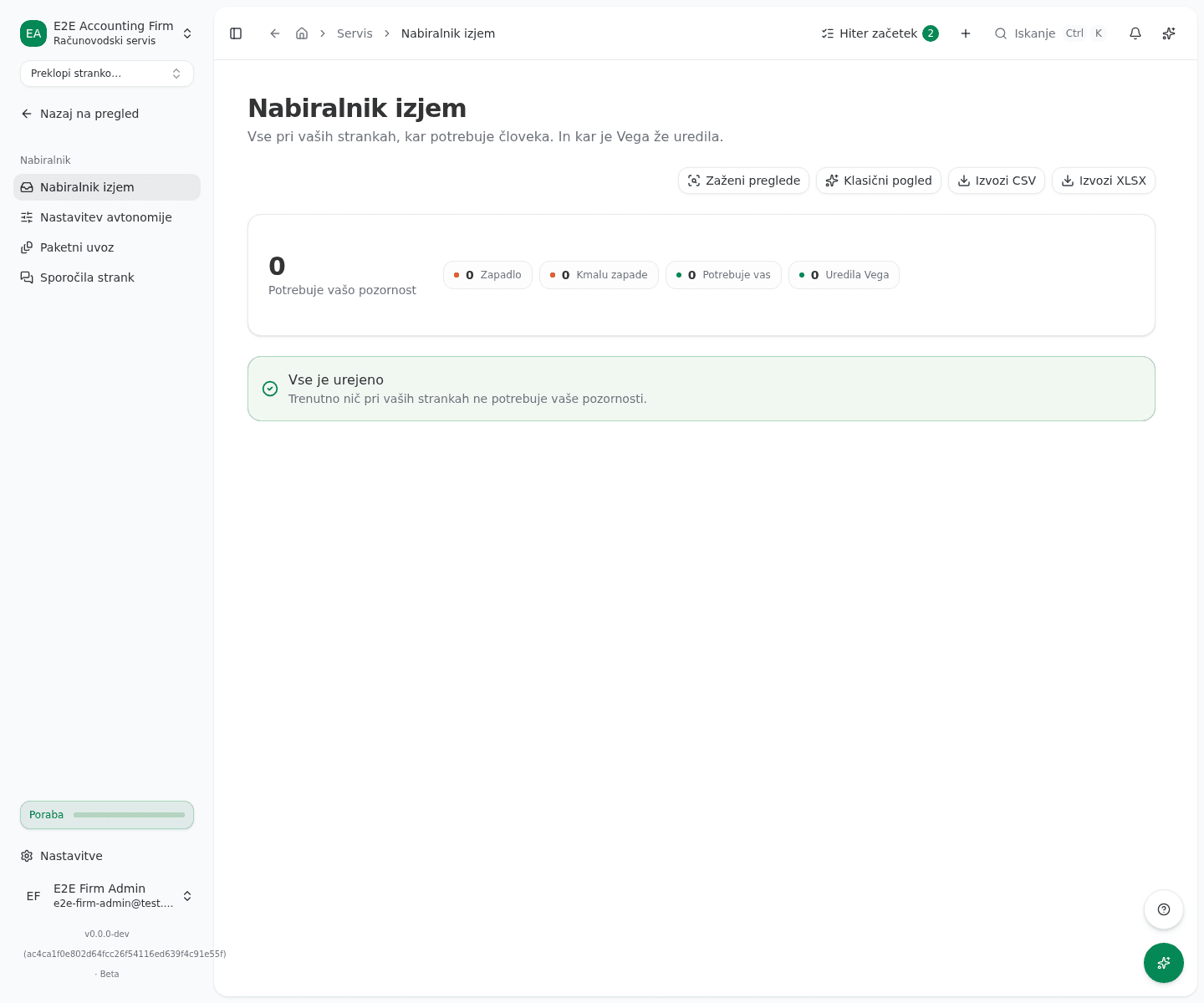
The Nabiralnik izjem (exception inbox) gathers everything across your clients that needs a human, and what Vega already handled on its own, across every linked client in one place, instead of client by client.
You’ll find the page in the left menu under Servis → Nabiralnik → Nabiralnik izjem (Firm dashboard → Inbox → Exception inbox).
Review the buckets
Items are grouped into buckets: Zapadlo (overdue), Kmalu zapade (due soon), Potrebuje vas (needs you) and Uredila Vega (done by Vega). The last bucket hides itself when you turn on Klasični pogled (classic mode) in the top right, which also hides every proposal Vega prepared.
Inside each bucket, the same item across several clients is folded together: one entry for the August DDV-O filing, for example, not one row per client. The header shows how many items it holds; click it to see the clients beneath. Vega’s findings fold by kind, for example Možni dvojniki računov (possible duplicate invoices) or Neusklajena bančna plačila (unmatched bank payments). An item that occurs only once stays a plain row. The numbers in the summary and on the buckets count every item, folded or not.
Filter and export if you need to
If you have more than one linked client, the picker in the top left defaults to Vse stranke (all clients); pick one to narrow the list to it. Zaženi preglede (run checks) triggers an immediate scan for new anomalies. Izvozi CSV and Izvozi XLSX download the currently visible list as a spreadsheet.
Prepare a filing for several clients at once
A folded DDV-O or REK-O filing has a batch button in its header, for example “Pripravi DDV-O za vse 3” (prepare DDV-O for all 3). Only a firm admin sees the button, because only an admin can start a batch.
- Click the button. The batch preview opens and shows which clients are eligible and which are skipped, and why. Nothing is sent yet.
- Confirm the preview. The batch is queued and its progress page opens.
For DDV-O, the batch prepares and validates a draft return per client, which you then review and submit one by one. DDV-O is offered only once the period has ended. Other filings have no batch.
Open an item and decide
- Click any row (for a folded item, first the header, then the client) to open the review dialog.
- For a Vega proposal (the Vega badge), read the shown preview of the change, then click Odobri (approve) or Zavrni (reject). When rejecting, you can type why in the Razlog (neobvezno) (reason, optional) field, then click Potrdi zavrnitev (confirm reject).
- For a finding Vega doesn’t execute itself (the Pregled Vege label), read the explanation and click Opusti (dismiss) once it’s handled.
- For an item from another source (a deadline, a workflow task, a monthly close), the dialog only shows the explanation; close it with Zapri (close).
A proposal flagged as blocked can’t be approved here: the dialog shows Tu odobritev ni mogoča (can’t be approved here). Open the client review by clicking their name in the dialog and resolve it there.
What success looks like
- An approved proposal drops out of the inbox; a Odobreno. Vega izvaja. (approved, Vega is executing it) message appears.
- A rejected proposal drops out with Zavrnjeno. (rejected), a dismissed finding with Opuščeno. (dismissed).
- When nothing is left in the current scope (all clients, or the filtered client), the page shows Vse je urejeno (all caught up) or, when filtered to one client, Nič za to stranko (nothing for this client).
Common issues
-
A folded item has no batch button. The button appears only for a DDV-O or REK-O filing, and for DDV-O only once the period has ended, and only a firm admin sees it. You can also prepare the filing from the deadline calendar or the filings register.
-
The exception inbox couldn’t load. Loading failed, for example due to a dropped connection; reload the page to try again.
-
The Approve and Reject buttons aren’t available. The item is blocked, or it isn’t a Vega proposal that can be executed, so the dialog offers only Opusti or Zapri instead.
-
The filtered client disappears from the picker. Their last item resolved in the meantime (approved, rejected, or dismissed); the filter automatically reverts to Vse stranke.