Autonomy dial
The autonomy dial decides what Vega may do on its own in your firm’s own bookkeeping.
This applies only to your firm’s own books; there is no equivalent setting on this page for any client. Only firm admins can change it.
You’ll find it on the Nastavitve firme (firm settings) page, at the bottom, below the deadline notifications.
Pause autonomy if you need to
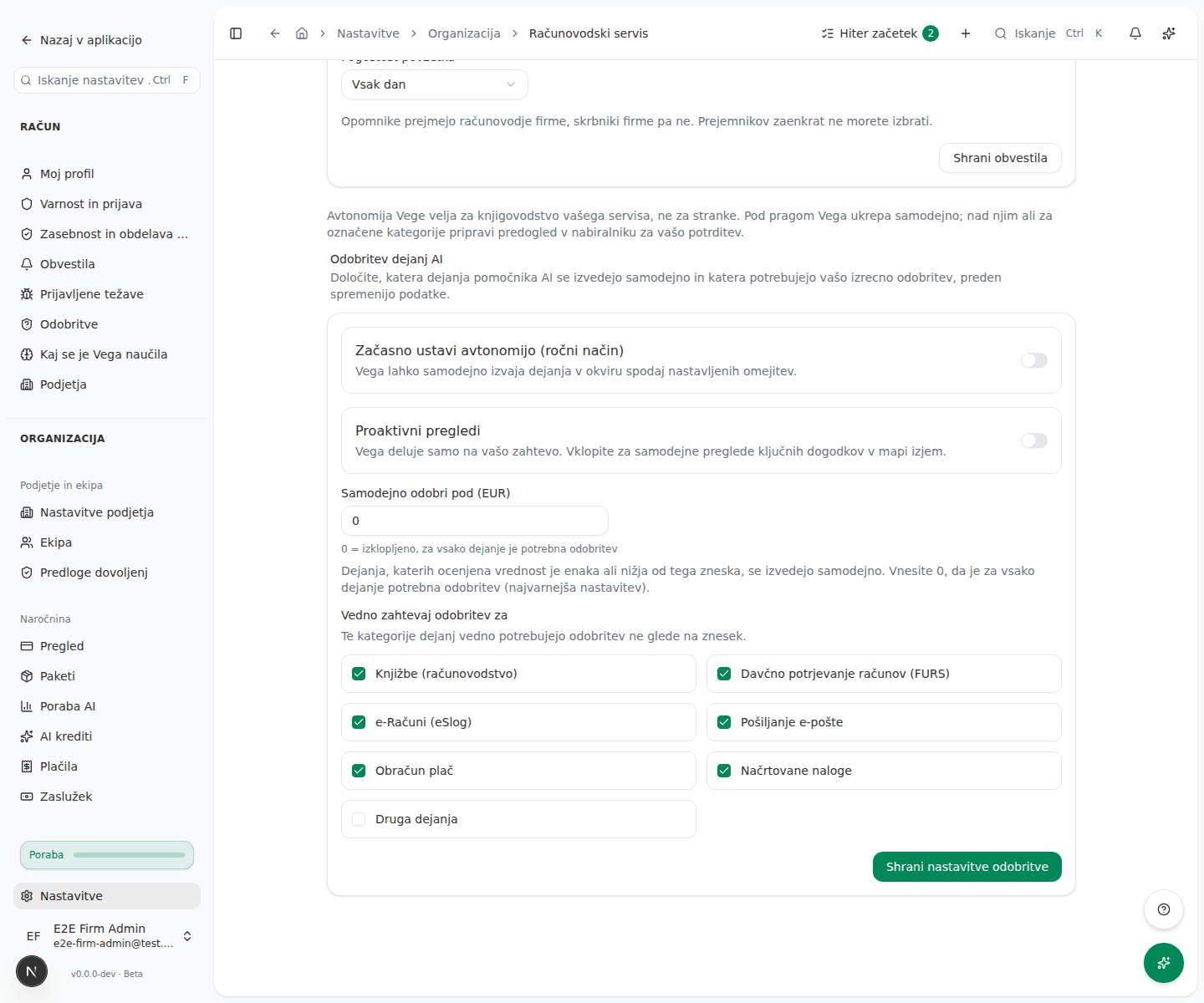
The Začasno ustavi avtonomijo (ročni način) (pause autonomy, manual mode) switch is a kill switch: when it’s on, Vega executes nothing automatically and every action needs your explicit approval, regardless of the settings below.
Turn proactive checks on or off
The Proaktivni pregledi (proactive checks) switch is independent of the one above. When it’s on, Vega automatically reviews key events and surfaces findings in the Exception inbox; it never changes data on its own.
Set the threshold and categories, then save
- Enter an amount in the Samodejno odobri pod (EUR) (auto-approve below) field. Actions whose estimated value is equal to or below this amount run automatically; entering 0 means approval is required for every action.
- Under Vedno zahtevaj odobritev za (always require approval for), check the categories that should always wait on you regardless of amount: Knjižbe (računovodstvo), Davčno potrjevanje računov (FURS), e-Računi (eSlog), Pošiljanje e-pošte, Obračun plač, Načrtovane naloge and Druga dejanja.
- Click Shrani nastavitve odobritve (save approval settings).
What success looks like
- A Nastavitve odobritve AI so shranjene (AI approval settings saved) message appears.
- The threshold and the checked categories stay as you set them, even after reloading the page.
Common issues
- The save button is disabled. The threshold field holds a number outside the allowed range; the page shows Vnesite število med 0 in 100000 (enter a number between 0 and 100000) next to it.
- AI approval settings couldn’t be saved. Saving failed, for example due to a dropped connection; fix the threshold if it was invalid and try again.
- The threshold is set to 0 and it isn’t clear what that means. The field then shows the hint 0 = izklopljeno, za vsako dejanje je potrebna odobritev (0 = off, every action needs approval).