The cash register (cash book)
Blagajna (“cash register”) is a book of cash receipts and payments with a running balance. Every entry gets its own sequential number (BP- for receipts, BI- for payments) and is posted against an account you choose, so the register and the general ledger agree. You can keep several registers, each with its own currency and its own balance.
Create a cash register
- In the left sidebar, go to Računovodstvo → Blagajna (“Accounting → Cash register”).
- Click Nova blagajna (“New cash register”).
- Enter the Naziv blagajne (Register name, “Glavna blagajna” for example) and pick the Valuta (Currency).
- Click Ustvari blagajno (“Create cash register”).
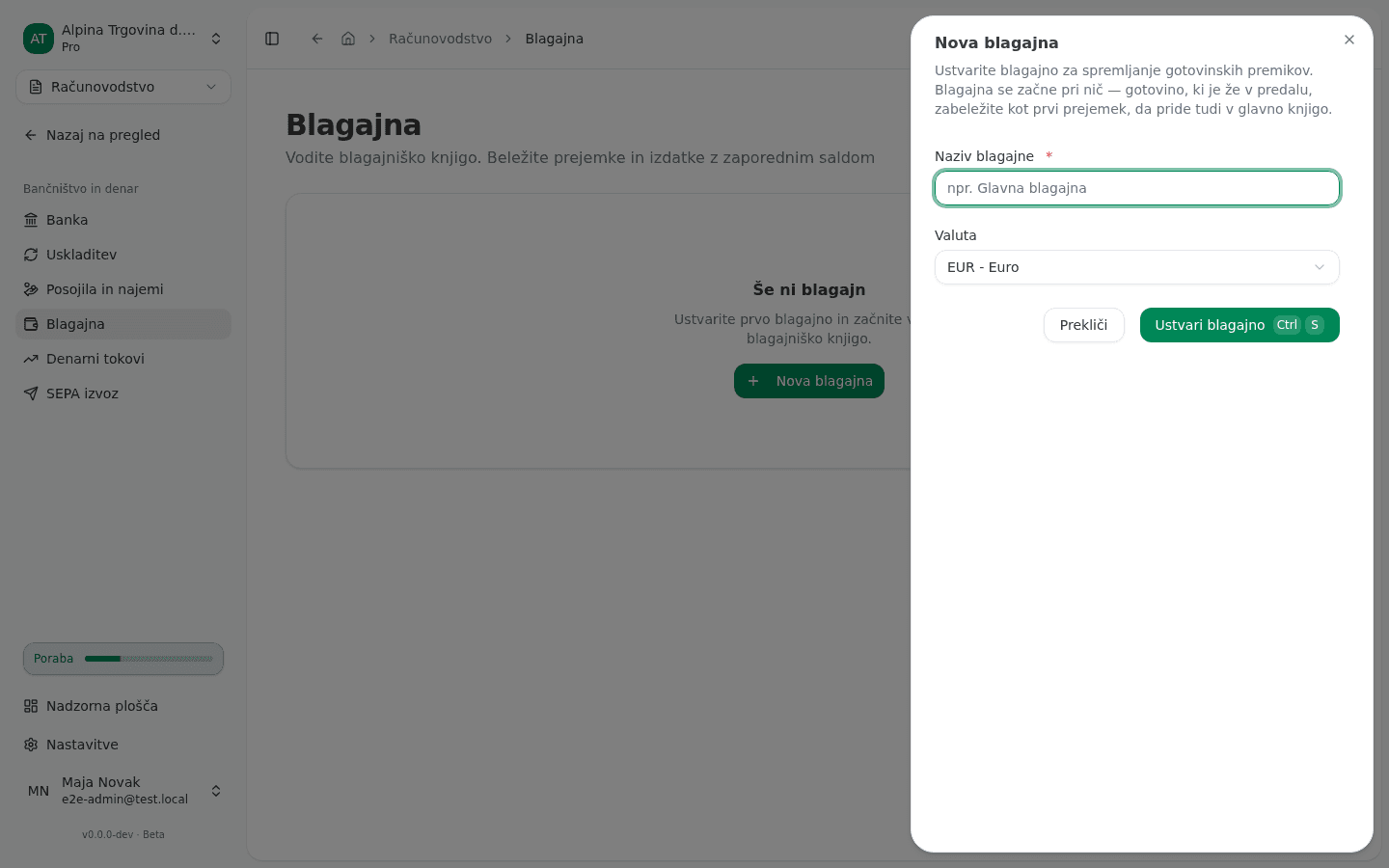
A new register starts empty. If cash is already physically in the drawer, record it as your first receipt (see below), dated the day you start keeping the book and booked against the account the cash came from: your bank account if you withdrew it, or capital if it is the owner’s contribution. Entering it as a bare starting figure would move the register’s balance without moving the ledger, so the two would disagree from the first day.
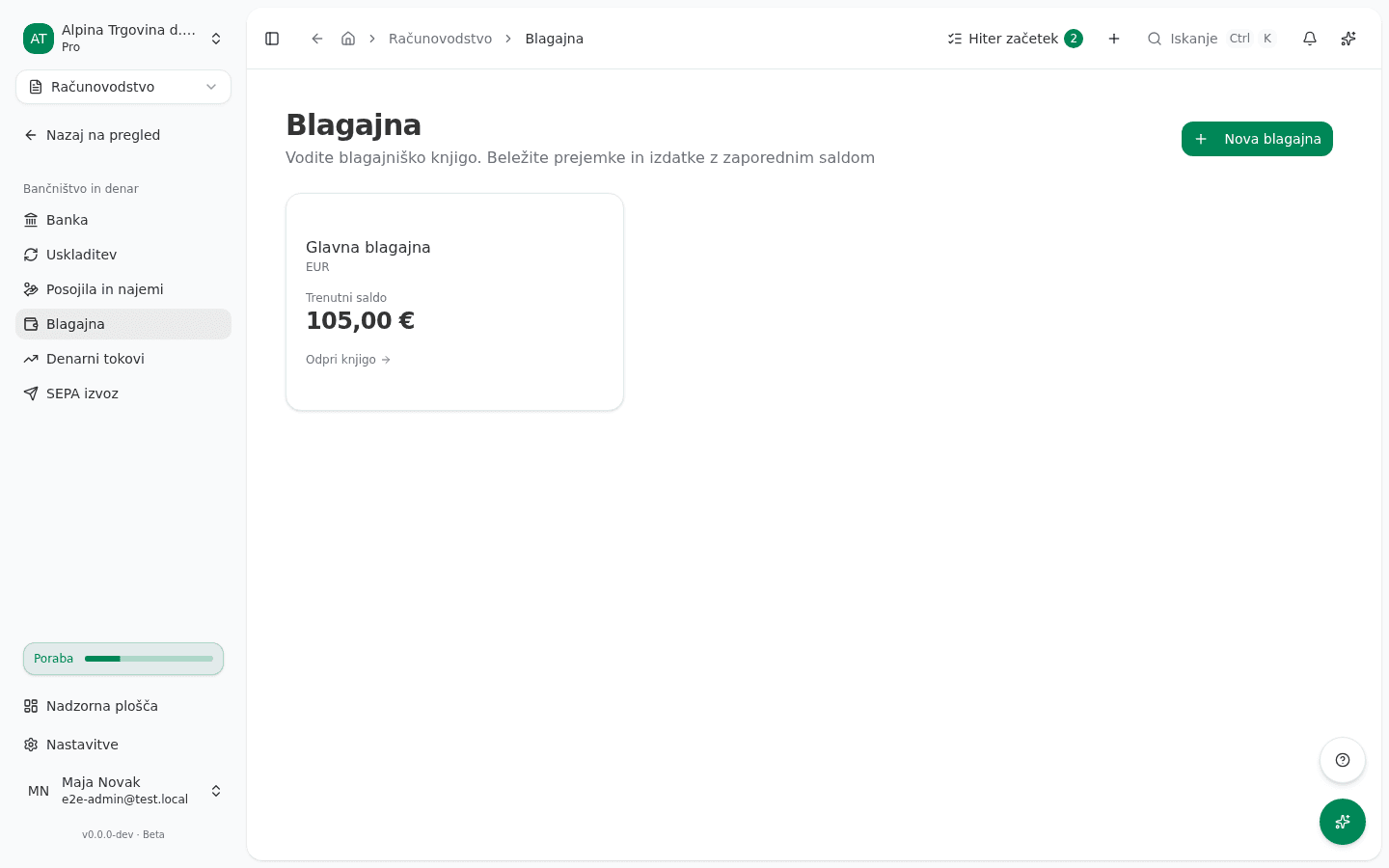
The register appears in the list with its current balance. Open its book with Odpri knjigo (“Open book”).
Record a receipt or a payment
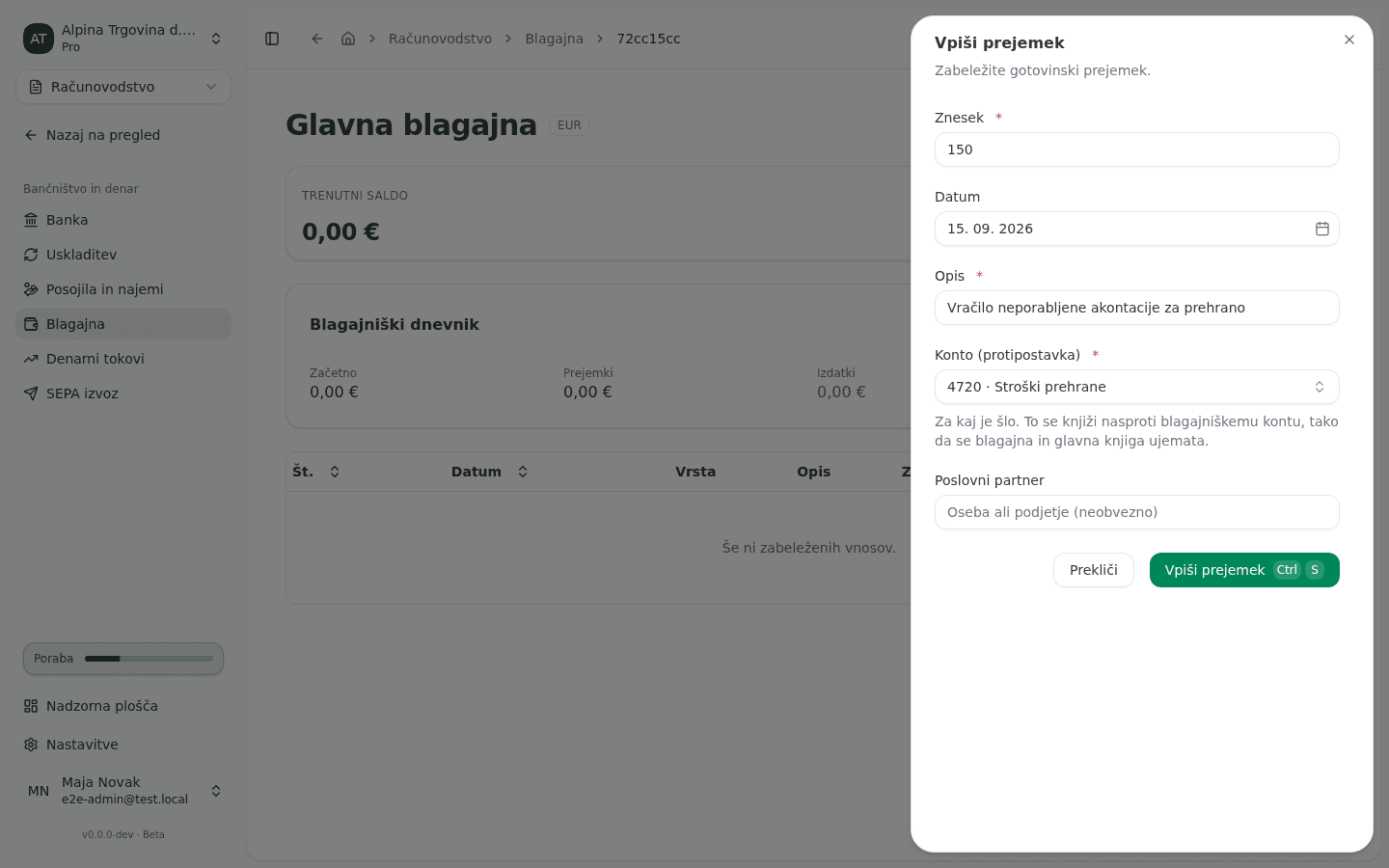
- Open the register and click Vpiši prejemek (“Record receipt”) for cash coming in, or Vpiši izdatek (“Record payment”) for cash going out.
- Enter the Znesek (Amount) and the Datum (Date) the cash actually moved.
- In Opis (Description), write what it was for. This is the text you’ll read back in the book later.
- Pick the Konto (protipostavka) (Counter account). This is the account the entry is posted against, and it is required.
- Optionally fill in Poslovni partner (Counterparty), the person or company on the other side.
- Click Vpiši prejemek or Vpiši izdatek.
Read the cash book
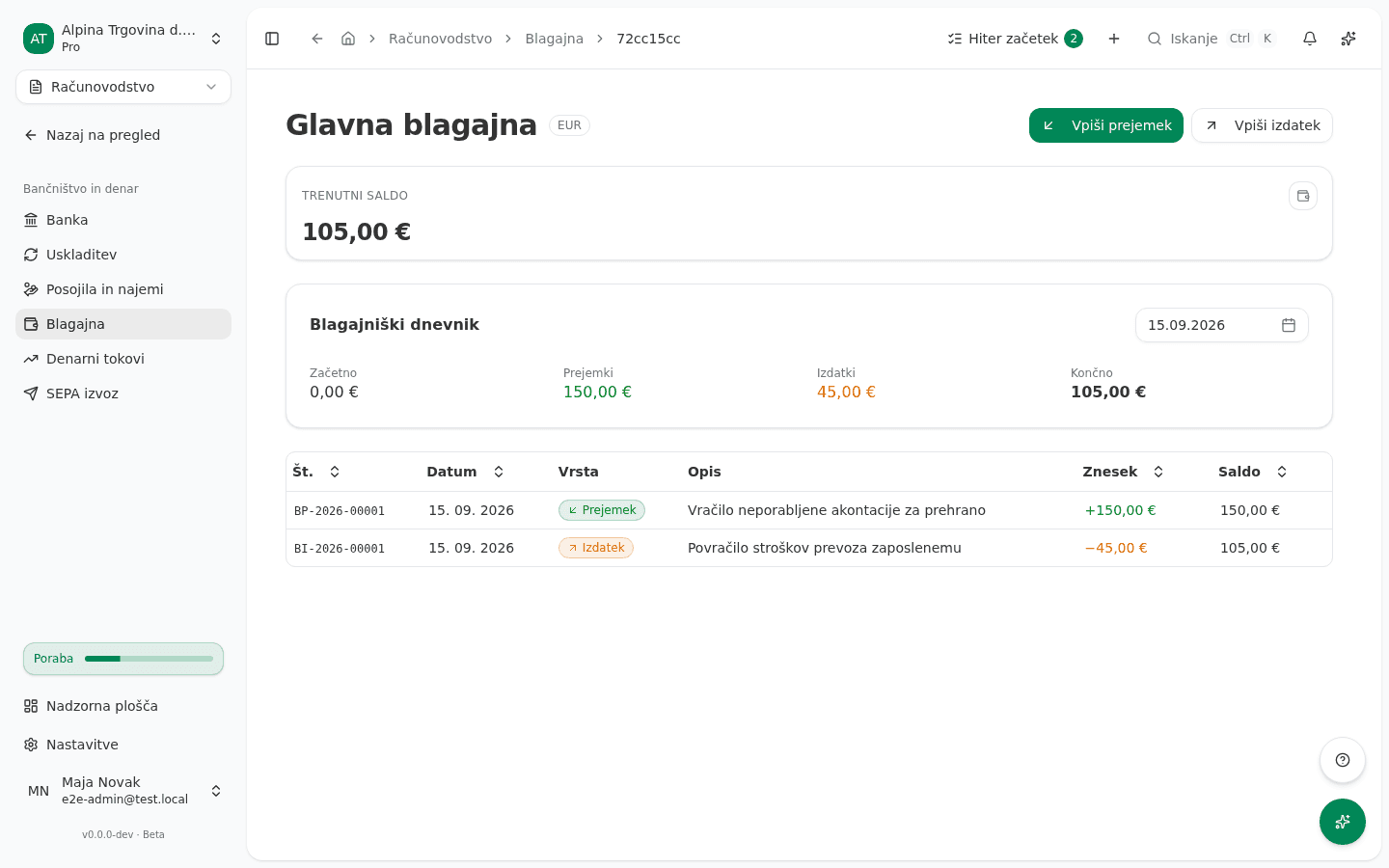
An open register shows Trenutni saldo (Current balance), and under it the Blagajniški dnevnik (“Daily cash journal”) for the chosen day, with Začetno (Opening), Prejemki (Receipts), Izdatki (Payments) and Končno (Closing). A second card, Otvoritveno stanje (Opening balance), appears only on older registers that were created with a starting figure; a register you create now starts at zero and shows no such card.
Each entry is one row: Št. (No.), Datum (Date), Vrsta (Type: receipt or payment), Opis (Description), Znesek (Amount) and Saldo (Balance). The Saldo column is the register’s running balance after that entry, not the entry’s own amount.
Correct a wrong entry
An entry in the cash book cannot be deleted or edited. You correct a mistake with a storno: the entry stays in the book, and a new document of the same type with a negative amount cancels it out.
- Open the register and click Storno on the row of the wrong entry.
- Optionally fill in Razlog (neobvezno) (Reason), for example a wrong amount.
- Click Zabeleži storno (Record storno).
- If needed, record the correct receipt or payment.
The storno takes the next number in the original’s series and today’s date. It is booked to the general ledger at the same time, so the cash book and account 1000 stay in agreement. An entry can be reversed only once, and a storno cannot itself be reversed.
The current balance is receipts minus payments, plus any opening balance an older register still carries. If it doesn’t match the cash in the drawer, compare the Blagajniški dnevnik day by day: a mismatch means a missing or duplicated entry, not an arithmetic error.
Common issue
- The entry won’t save. Znesek, Datum, Opis and Konto (protipostavka) are all required. Poslovni partner is not.
- The book says there are no entries yet. The register exists but no receipt or payment has been recorded in it. Record the cash already in the drawer as your first receipt.
- The Otvoritveno stanje card shows an amount I can’t find in the table. Registers created before this figure had to be booked carry it on the card without a matching entry, which is why the card and the ledger can disagree. Ask your accountant to post the difference; new registers always start at zero.
- I can’t cancel or reverse a cash entry’s journal in the general ledger. That is intended: the cash book and account 1000 must move together. Correct the entry in the cash book with Storno, which also books the journal.
- The cash register isn’t in the menu. It sits in the Bančništvo in denar (“Banking and cash”) group under Računovodstvo, not in a group of its own.