Coworkers and employees
The coworker list is your record of the people who work for you. The same list is used by travel orders and by payroll, which makes it the first step before you can run a payroll.
While the list is empty, payroll cannot be started. The payroll carry-in from a previous provider warns you about this, and its button takes you to the employee import. Add individual coworkers here.
Open the list
In the left menu choose CRM, then Coworkers.
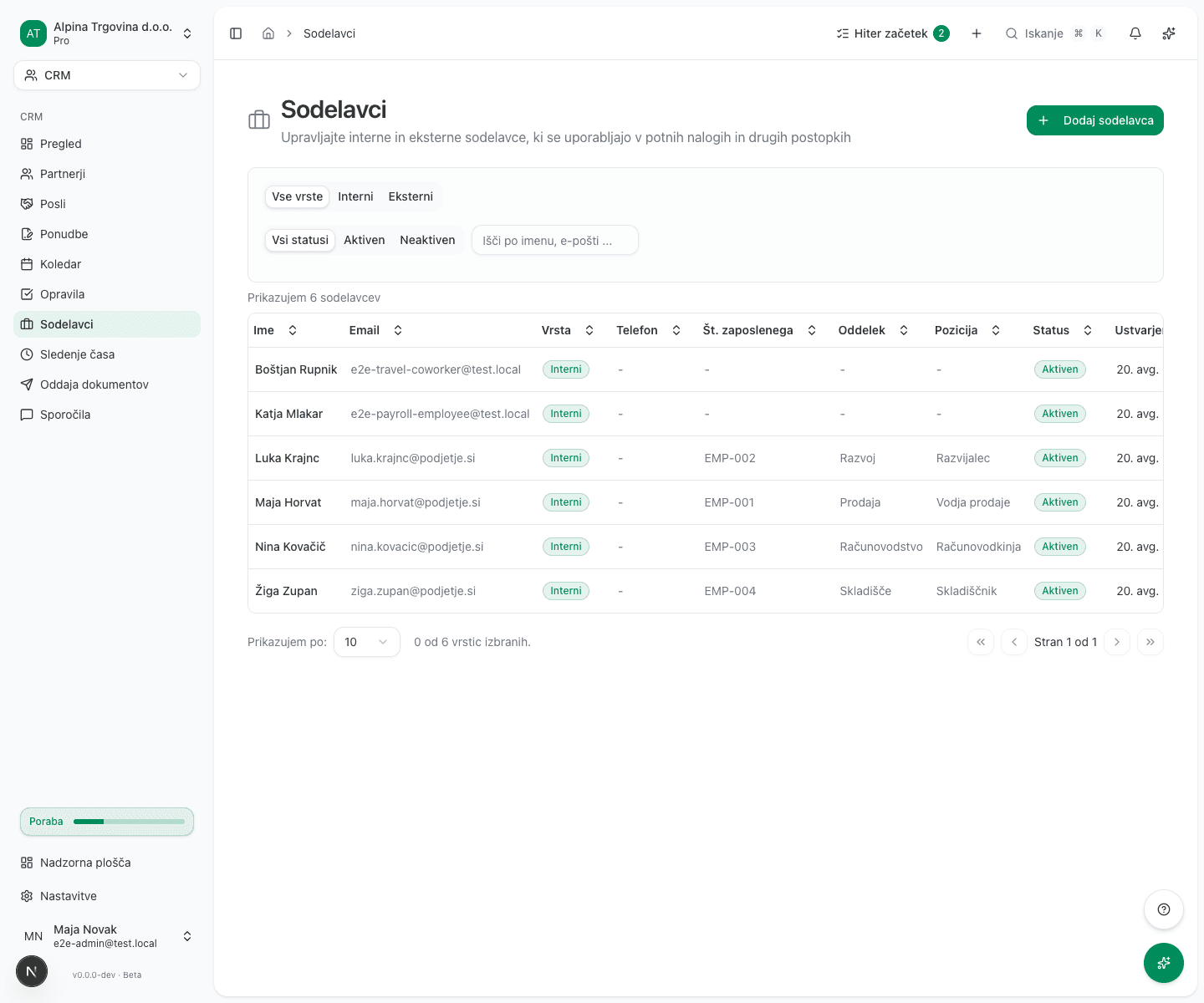
You can filter by type (Internal, External) and by state (Active, Inactive).
Add a coworker
- Click Add Coworker.
- Enter the Name and Email.
- Choose the Type:
- Internal coworker (on payroll): an employee you run payroll for.
- External coworker (contractor): an outside contractor.
- Optionally fill in Phone, Employee Number, Department, Position and Notes.
Type is a label for sorting and filtering the list. It does not decide who is included in a payroll run. Every coworker whose state is Active is included, whatever their type.
So who does go into a payroll run: every coworker whose state is Active. Each of them also needs a valid employment contract covering the payroll period. Without one, that employee is reported as an error in the run, and the run continues for everybody else.
Fields for ZZZS and REK-O
The ZZZS registration section is optional on the list, and required as soon as you file for that person. Fill it in for every internal coworker:
- First name and Last name, kept separate from the Name field above because the filings require them separately.
- EMŠO: required for the ZZZS M-1, M-2 and M-3 registrations.
- ZZZS number: the eight-digit insurance number assigned by ZZZS. It is what links an incoming eBOL sick note to the right person, and without it a reimbursement claim cannot be submitted. It is not the same as the EMŠO.
- Tax number (davčna): required to submit REK-O to FURS, without the
SIprefix. - Tax residence and Citizenship: Slovenia by default, and they matter for non-residents.
The ZZZS number and the EMŠO are two different numbers. Entering the EMŠO into the ZZZS number field is the usual reason an incoming eBOL stays unlinked.
Common issues
A coworker is missing from payroll. Check that their state is Active. The type has no effect on this.
An external coworker turns up in payroll. That is expected: every active coworker is included. To keep them out, set their state to Inactive.
REK-O submission fails. At least one coworker has no tax number. Enter it without the SI
prefix.
An incoming eBOL stays unlinked. The ZZZS number is missing or wrong. Check that it is eight digits and not the EMŠO.