Monthly hours across clients
Mesečne ure (monthly hours) is a page for accounting firms that run payroll for several client companies in VegaERP. Instead of opening each client’s monthly hours one by one, this page shows in one place which clients have this month’s hours filled in and which don’t.
You’ll find the page in the left menu under Servis → Plače → Mesečne ure (Firm dashboard → Payroll → Monthly hours).
Check hours readiness
- The page opens on the previous month, the one payroll is being run for, the same month the payroll batch opens on. In the top right, use the two arrows beside the shown month to pick another period if you need one.
- Read the table, one row per client:
| Column | Meaning |
|---|---|
| Stranka (client) | The client’s company name and tax number. |
| Status | One of: Prazno (empty), Delno (partial), Izpolnjeno (filled), Zaklenjeno (locked), Ni zaposlenih (N/A) or Napaka (error). |
| Izpolnjeno / skupaj (filled / total) | How many employees have hours entered, out of all employees at that client. |
| Zaklenjeno (locked) | How many rows are already part of a filed payroll run. |
| Dejanja (actions) | The Odpri ure (open hours) button. |
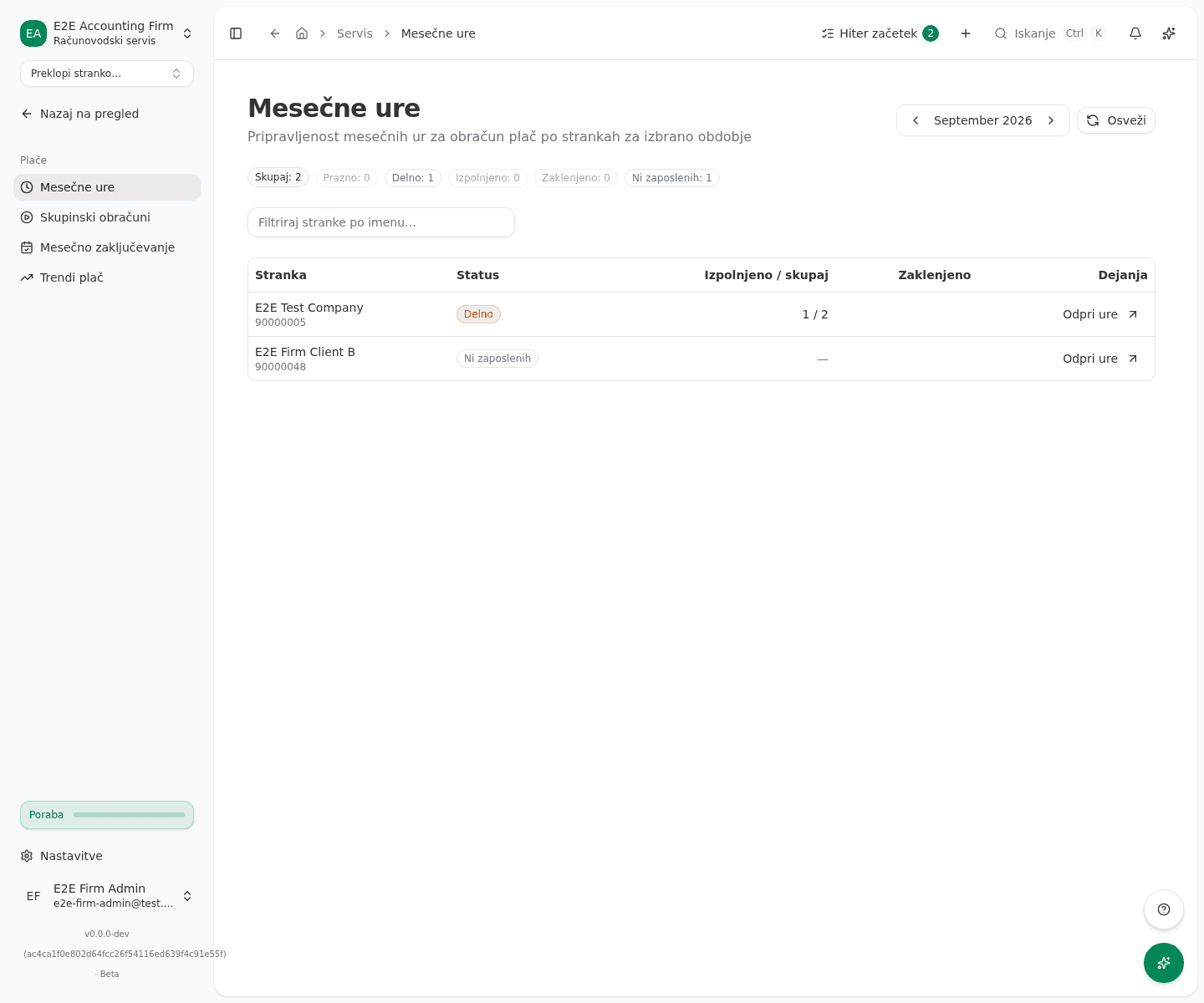
Rows are sorted by urgency first: Prazno and Napaka float to the top, Izpolnjeno and Zaklenjeno sink to the bottom. Izpolnjeno means every employee’s hours are entered, though the period isn’t necessarily locked yet. Zaklenjeno means the period is already part of a filed payroll run and can no longer be edited here.
Filter and open a client’s hours
- In the search box above the table, type part of a client’s name to narrow the list.
- Above the table is a row of colored pills showing how many clients are in each state, for example how many are Prazno or Delno. Clicking one filters the table to that state; clicking it again removes the filter. Click Počisti filter (clear filter) to clear both the search and the status filter at once.
- In a client’s row, click Odpri ure. VegaERP switches you into that client’s company and opens their monthly-hours page for the same period you had selected here.
What success looks like
- The table shows one row per client, with the current state of that month’s hours.
- Clicking Odpri ure takes you straight into the selected client’s monthly hours for the same period, with no manual tenant switch or month lookup.
- Once a client is ready for payroll, its status reads Izpolnjeno.
Common issues
- A client’s status reads Napaka. Its hours data couldn’t be fetched. Open that client directly and check its monthly hours there.
- Every client reads Ni zaposlenih. None of your clients have active employees recorded for this month yet. Monthly hours become relevant once you add employees to a client’s coworker list.
- Clicking Osveži doesn’t seem to change anything. The Osveži (refresh) button rereads the current state; if hours were just entered on the client’s side, wait a moment and try again.
Related pages
Last updated on