Batch period close
The Skupinski zaključek meseca (Batch period close) page does the same action for several clients in one step: it closes the accounting period or prepares a DDV-O draft. Each client gets its own result, and a failure on one client does not stop the others.
Closing a period works exactly as closing it on a single client: it checks for draft journal entries, closes oldest first and books the period-end revaluation of exchange differences. One period is closed per client per run. To close several months, repeat the run.
Open the page
In the firm sidebar, under Skladnost in roki (Compliance and deadlines), choose Skupinski zaključek meseca. The page lists active clients only. If you use client tags, narrow the list with the Vse oznake (All tags) selector.
Close the period for several clients
- On the Zapiranje obdobja (Period close) tab, tick the clients or click Izberi vse (Select all). Clear the selection with Odznači vse (Deselect all).
- Click Izvedi (Run).
- In the Potrditev skupinskega zaključka (Confirm batch close) dialog, check the number of clients and click Potrdi (Confirm).
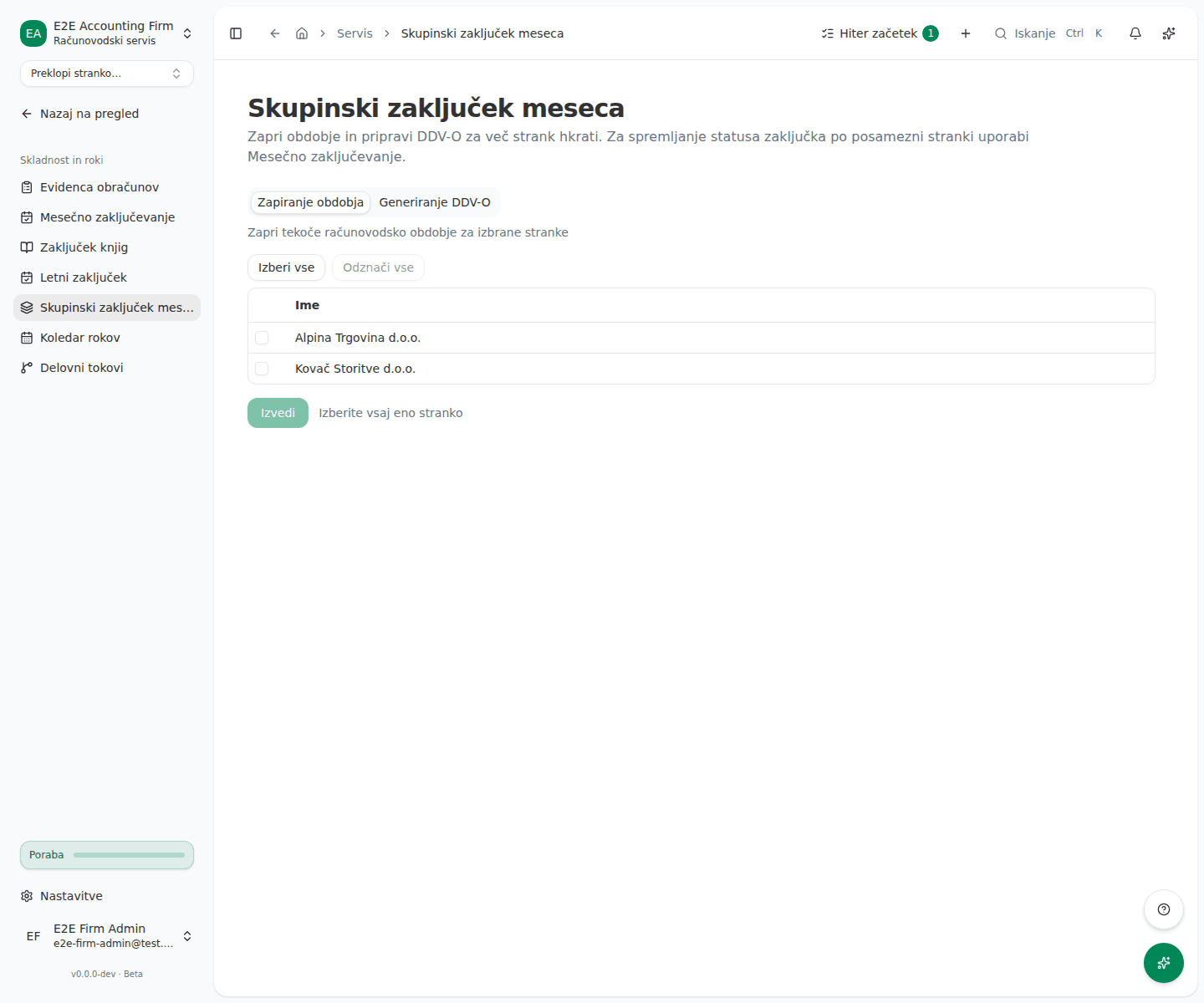
Prepare DDV-O for several clients
- Open the Generiranje DDV-O (DDV-O generation) tab.
- Set the period in Od (From) and Do (To). The default is the current quarter; Od must be earlier than Do.
- Tick the clients, click Generiraj (Generate), then confirm with Potrdi.
Read the result
A Rezultati (Results) card opens under the selection with the counts Skupaj (Total), Uspešno (Succeeded) and Neuspešno (Failed). Each client shows whether it worked and, for failures, the reason.
What success looks like
- For a period close, each client shows the name of the period that was closed.
- Generated DDV-O reports are on each client’s VAT books page as drafts. You still have to file them separately, in the filings list.
Common issues
- Stranka nima odprtega obračunskega obdobja. The client has no open period, so there is nothing to close.
- Ta stranka ni povezana z vašim servisom ali pa je dostop servisa do nje že potekel. The client was no longer actively linked to the firm at the time of the run. Check the link under clients.
- A client shows an error instead of a period name. The period could not be closed, for example because of draft journal entries. Fix the cause on that client and rerun for it alone.