Manufacturing from a bill of materials (production orders)
A proizvodni nalog (“production order”) turns the materials on a kosovnica (“bill of materials”) into a finished product, and increases the stock of that product when the order is completed. To manufacture, you need at least one active bill of materials and a warehouse the finished product will be added to.
Create a production order
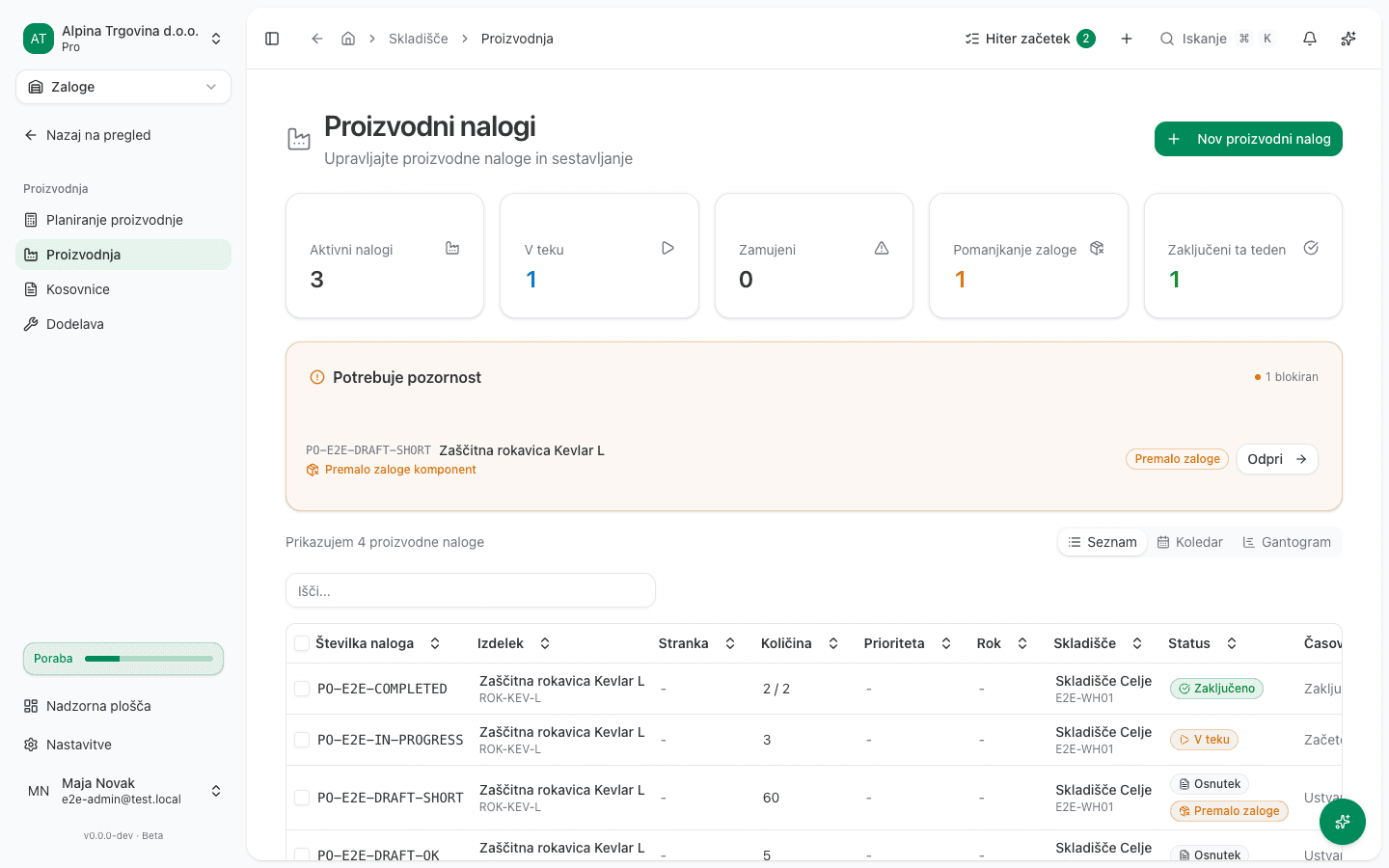
- In the left sidebar, go to Skladišče → Proizvodnja (“Warehouse → Production”).
- Click Nov proizvodni nalog (“New production order”).
- Choose the Kosovnica (Bill of materials). The Izdelek (Product) field fills in automatically.
- Enter the Količina (Quantity) and choose the Skladišče (Warehouse).
- Optionally add Opombe (Notes), then click Nov proizvodni nalog again.
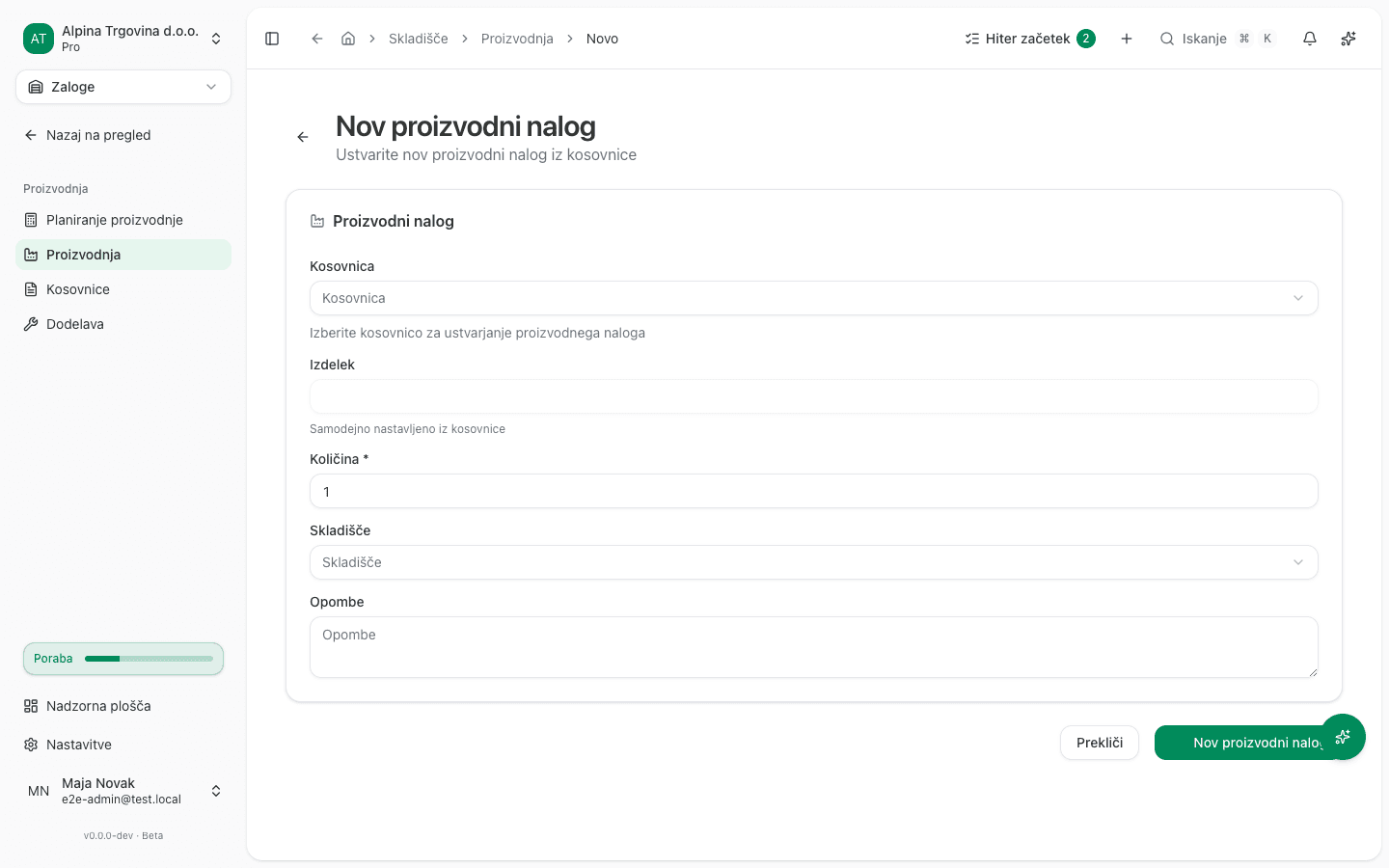
The order is created in Osnutek (“Draft”) status. If any component is short of stock in the chosen warehouse, the order is flagged Premalo zaloge (“Not enough stock”) in the list. The order still exists, you just can’t start it yet.
Start and complete production
- Open the production order from the list.
- In the Potek proizvodnje (“Production progress”) section, check the component table with its Potrebno (Required) and Razpoložljivo (Available) columns.
- Click Začni proizvodnjo (“Start production”). The status changes to V teku (“In progress”).
- When the goods are made, click Zaključi proizvodnjo (“Complete production”).
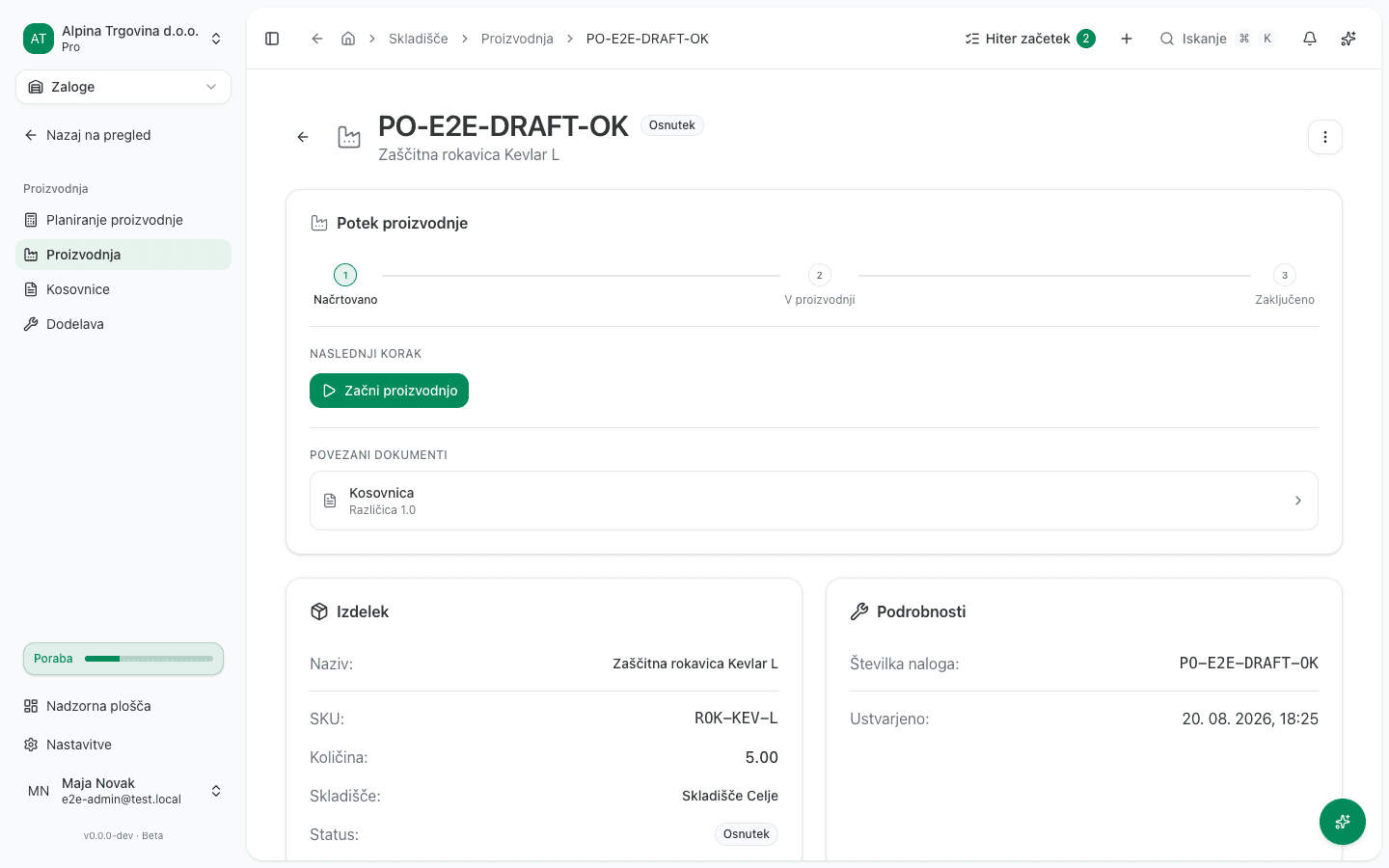
Completing the order increases the stock of the finished product in the chosen warehouse. An order that has a customer on it also offers Ustvari dobavnico (“Create delivery note”) for shipping the finished goods. Without a customer on the order that button is disabled.
Common issue
- There’s no Start production button, it says Premalo zaloge komponent instead. At least one component on the bill of materials is short of stock in the order’s warehouse. Replenish the stock or reduce the order quantity.
- The Ustvari dobavnico button is disabled. Shipping requires a customer on the order. Add one on the order, and shipping becomes possible.
- You created the order by mistake. Click Več (“More”) and then Preklic proizvodnega naloga (“Cancel production order”).