Receiving and shipping goods (delivery notes)
Delivery notes (dobavnice) record the physical movement of goods through the warehouse. This is separate from the invoice, which records the financial side. There are two directions: Prejete dobavnice (“Received delivery notes”, goods from suppliers) and Izdane dobavnice (“Issued delivery notes”, goods to customers).
Receiving goods from a supplier
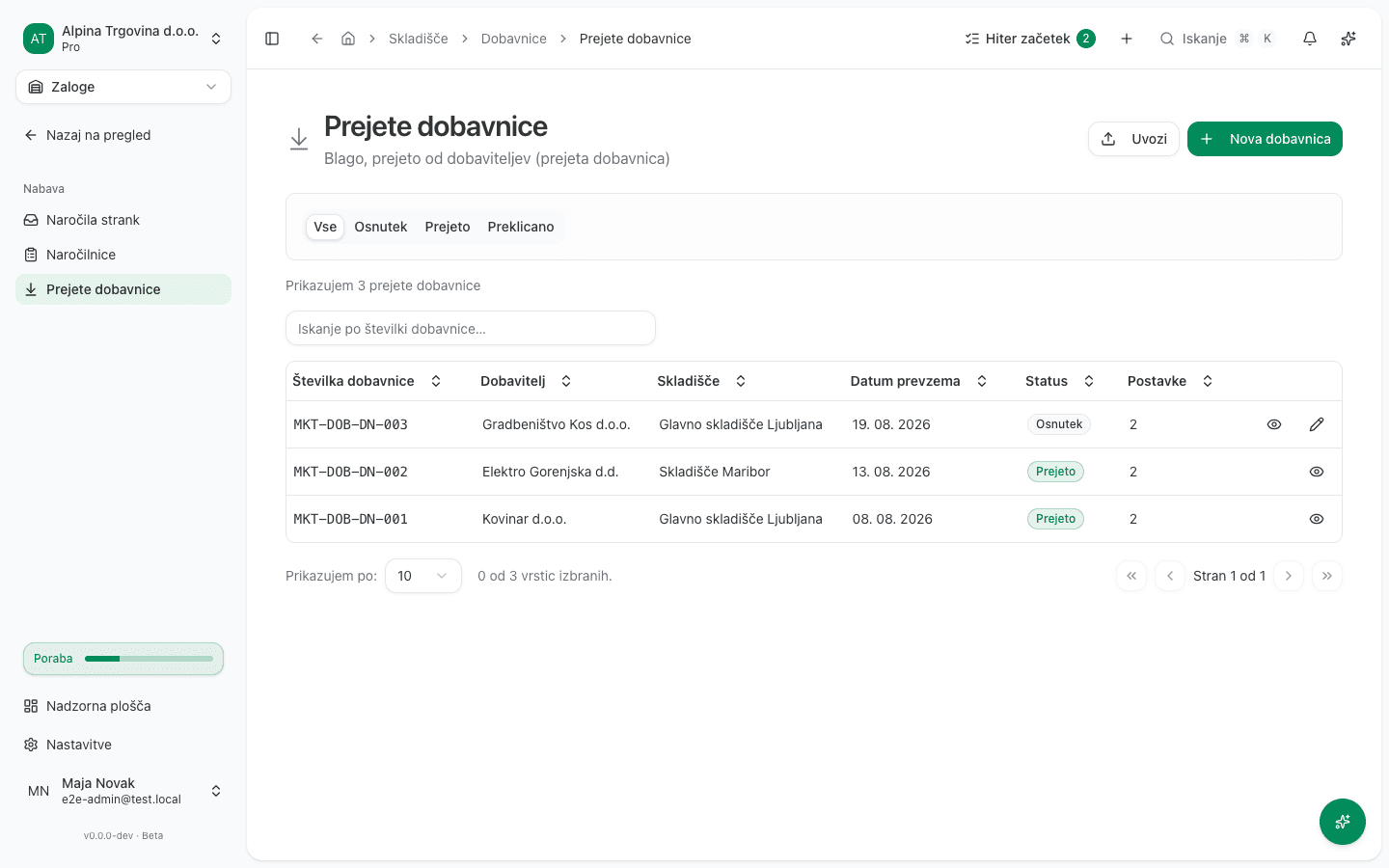
- In the left sidebar, go to Skladišče → Prejete dobavnice (“Warehouse → Received delivery notes”).
- Click Nova dobavnica (“New delivery note”).
- Fill in Dobavitelj (Supplier), Skladišče (Warehouse), Datum prevzema (Receipt date), and optionally Referenčna številka (e.g. a purchase order number).
- Add Postavke (“Items”): for each, pick a product or enter a free-text line, then enter Količina (Quantity) and Nabavna cena (Purchase price).
- Save it as Osnutek (“Draft”) if the goods haven’t physically arrived yet, or click Prejmi (“Receive”) once you’ve actually taken delivery. The app asks you to confirm, because this increases stock.
Shipping goods to a customer
Most issued delivery notes are generated automatically, from an invoice, a production order, or a service work order. So an empty list here is normal if you haven’t shipped anything through one of those paths yet.
You can also create one directly:
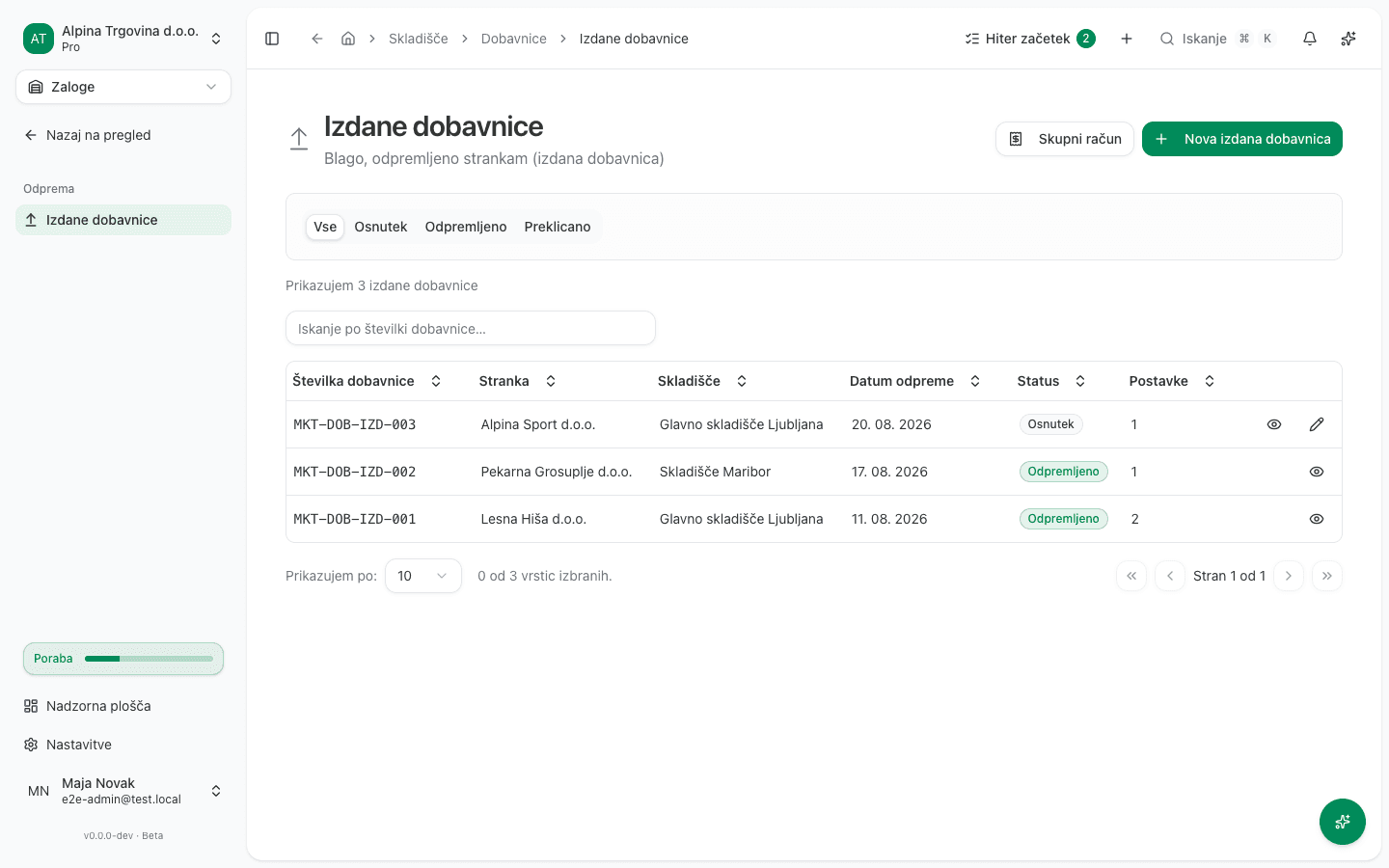
- Go to Skladišče → Izdane dobavnice (“Warehouse → Issued delivery notes”) and click Nova izdana dobavnica (“New issued delivery note”).
- Choose the customer, the source warehouse, and the items.
- If the customer ordered the goods with their own purchase order, enter its number in Referenčna številka (“Reference number”). This is their number, not ours: it prints on the delivery note and carries on to the invoice, so the customer’s own system can match the document against their order automatically.
- Once the goods are physically ready to leave, click Zabeleži odpremo (“Record shipment”). This records the outbound stock movements and decreases stock in the chosen warehouse, for the goods lines.
When the delivery note is created from a customer order, Referenčna številka (“Reference number”) is filled in for you, from the purchase order the customer sent. You can correct it at any time: the value on the delivery note is the one that carries on to the invoice.
An issued delivery note can also list work you performed, not only goods. An inspection, hours of labour, a delivery charge. Pick the service from the same item list. It takes a quantity, a unit and a price like any other line, and it is invoiced like any other line, at the price you agreed on the delivery note. It is marked as a service in the form and on the printed document, because it is the one line that did not physically arrive: recording the shipment moves no stock for it. A note containing only services is fine. It simply moves no stock at all.
Common issue
- A delivery note can’t be edited. Once a note is marked Prejeto (Received), or shipped, its fields lock. If a quantity on a received note was wrong, check Inventura (“Inventory count”) to reconcile the actual stock.
- A shipped delivery note is wrong. Open the note and, in the three-dot menu, choose Storniraj odpremo (“Cancel shipment”). The goods return to stock at the cost they left at, and the cost-of-goods-sold entry is reversed. Then create a new, correct delivery note. Don’t fix the mistake with an inventory count: that corrects only the quantity in stock and leaves the cost-of-goods-sold entry booked. If an invoice has already been issued for the note, the shipment can no longer be cancelled; issue a credit note to take the goods back.
- An issued delivery note is missing even though you sent an invoice. Check the document trail on the invoice or deal (Povezani dokumenti / Potek dobave, meaning “Related documents” / “Delivery journey”). The note is likely still sitting in Draft, waiting to be shipped, not lost.