Payroll batches
Skupinski obračuni (payroll batches) lets an accounting firm run payroll for several clients at once, instead of opening each client’s payroll separately by hand. For every selected client, VegaERP creates a payroll draft, exactly as if that client had created it themselves.
You’ll find the page in the left menu under Servis → Plače → Skupinski obračuni (Firm dashboard → Payroll → Payroll batches).
Start a batch run
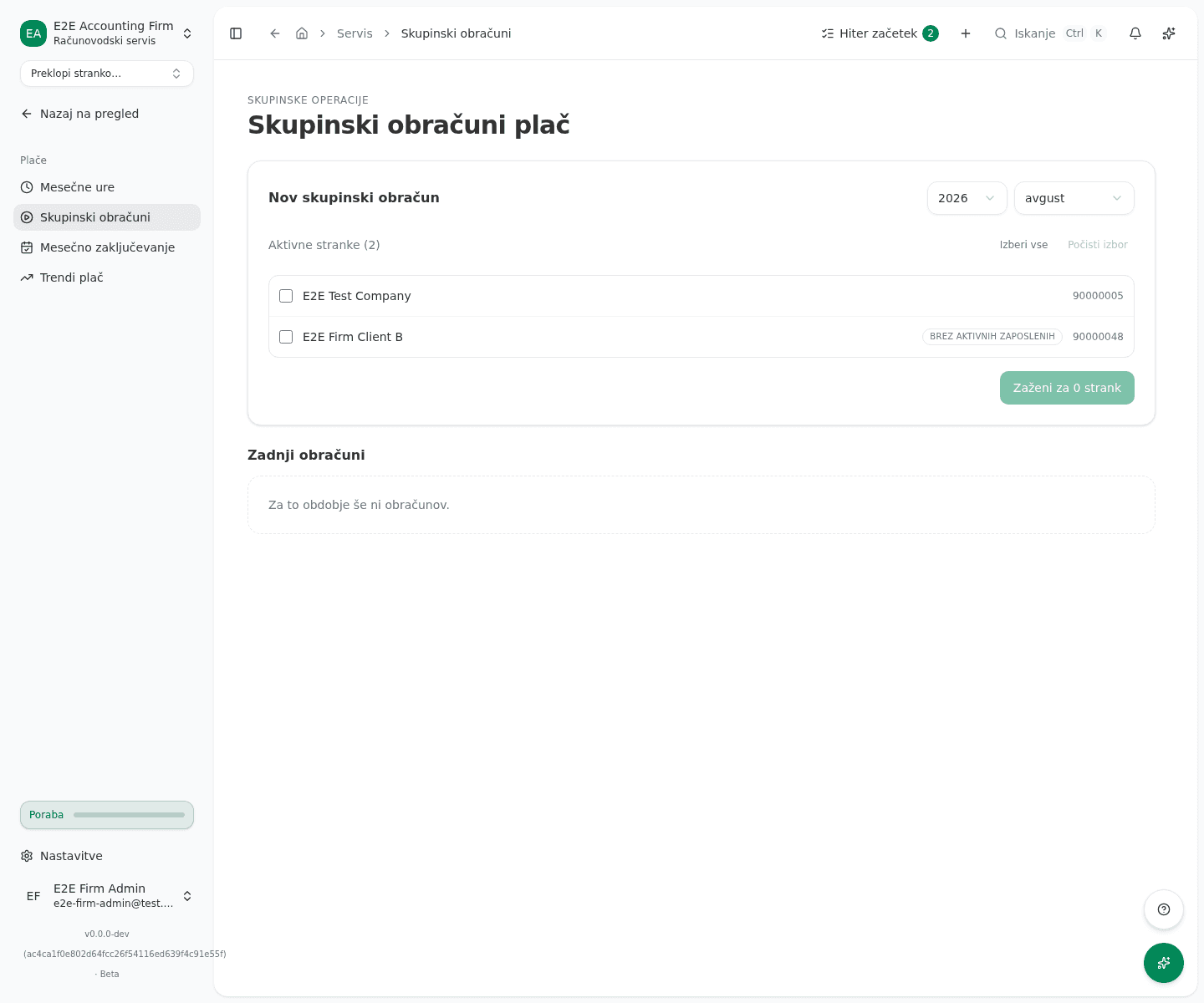
- Under Nov skupinski obračun (run new batch), pick a year and month. The last month that has already ended is picked by default, because a batch needs that month’s finished hours and absences.
- In the Aktivne stranke (active clients) list, check the clients to include, or click Izberi vse (select all). A client marked Normirano · neupravičeno (flat-rate, not eligible) doesn’t run payroll and can’t be selected. A client marked Brez aktivnih zaposlenih (no active employees) has no employees right now, but a past period can still include them if it had employees back then.
- Click the run button below the list, which shows how many clients you selected.
VegaERP takes you straight to that batch’s own page, where you follow its progress.
Track progress and fix errors
- While the batch is running, the top of the page shows a progress strip: the overall state (Čakanje pending or V teku running), how many clients are done, how much time has passed, and an estimate of what’s left.
- Once it finishes, the overall state reads Uspešno (done), Delno (partial) or Neuspelo (failed), depending on whether any client failed.
- In the table below, check each client on its own: the Stranka, Stanje, Zaposleni and Opozorila columns. If a client has errors, click the arrow at the end of its row to expand the list.
- If a draft was created for a client, click its name in the table to reach Odpri obračun plač (open payroll run) and continue straight to that client’s own payroll run.
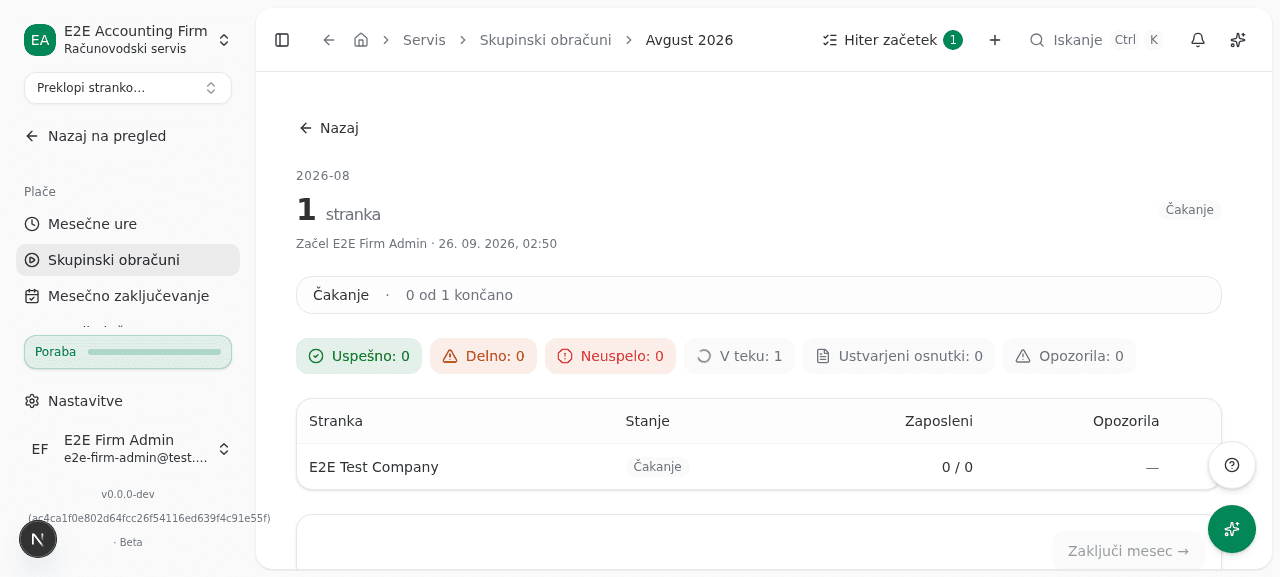
The Zaključi mesec → (close the month) button is already visible at the bottom of the page once the batch starts, but disabled with the hint Dokončajte obračun, da nadaljujete na mesečni zaključek. (finish the batch to continue). Once the batch finishes with at least one draft, the button enables and takes you forward to the monthly close for that month. If the batch’s clients still have steps to finish before the month can close (for example a filed payroll run or an accepted REK-O), the button reads Preglej mesečni zaključek (review month close) and the line under it names the missing steps and for how many clients.
What success looks like
- Starting a run opens that batch’s page with a progress strip that fills in until the run finishes.
- In the table, every included client shows its own state and how many of its employees the run succeeded for.
- A client with a created draft has a clickable name in the table that opens its payroll run.
- Once the batch finishes with at least one draft, the Zaključi mesec → button is enabled.
Common issues
- A client’s error says the month hasn’t ended yet. A batch run needs that month’s hours and absences to be final. Run it again once the month is over.
- A client is visible in the list but can’t be selected. It’s marked Normirano · neupravičeno: a flat-rate client doesn’t run payroll this way, so the batch rejects it and VegaERP shows it disabled.
- A message says a batch is already running for some clients. Another batch is already in flight for that client and period. Wait for it to finish before starting a new one for the same client and month.