Reimbursing a coworker’s expense
When a coworker pays a business expense out of their own pocket (for example, parking or mileage) and you mark it Povrnljiv (Reimbursable), approving that expense does not yet mean the money has reached the coworker. This page covers the second, separate step: recording in VegaERP that the payout actually happened.
Why there are two steps
Until you actually pay the coworker back, the company still owes them that money. Approval records that debt in the books. Only once you actually pay the coworker does the debt close. That is why approving a reimbursable expense does not finish the job. The expense stays “awaiting reimbursement” until you confirm the payout as a separate action.
Before you start
The expense must be:
- Marked Povrnljiv when it was created or edited.
- Odobreno (Approved, the expense’s review status).
The fifth workflow step, Povrnjeno (Reimbursed), appears on the expense’s page as soon as the expense is marked Povrnljiv, so you can see the payout is still outstanding while the claim is under review. The button to record the payout appears only once the claim is approved.
Recording the payout
-
Open the expense from Računovodstvo → Stroški in sredstva → Stroški (Accounting, Expenses and assets, Expenses).
-
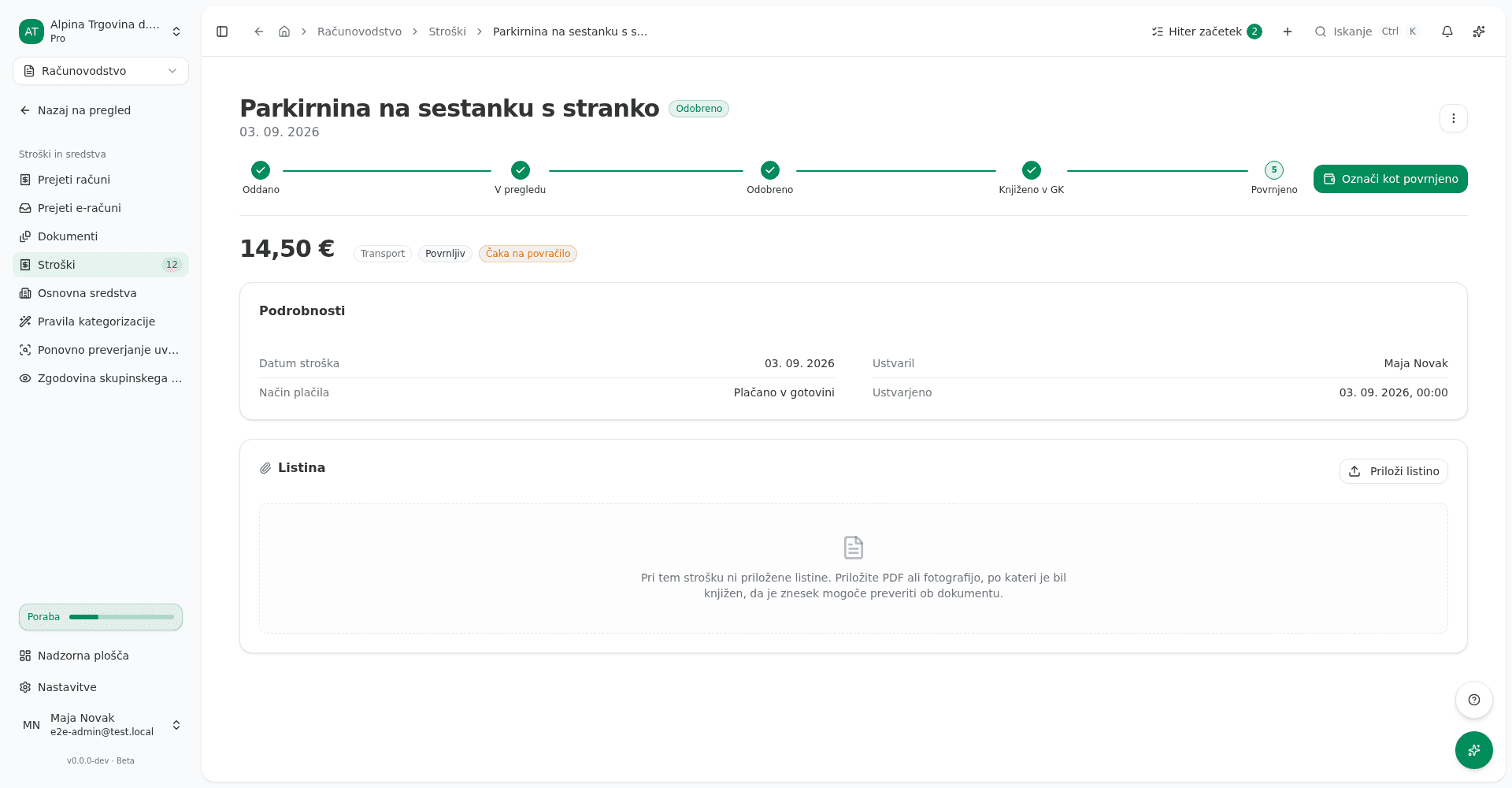
At the top of the page, confirm the expense is Odobreno and that the badge next to the amount reads Čaka na povračilo (Awaiting reimbursement).
-
Click Označi kot povrnjeno (Mark as reimbursed) in the top right.
-
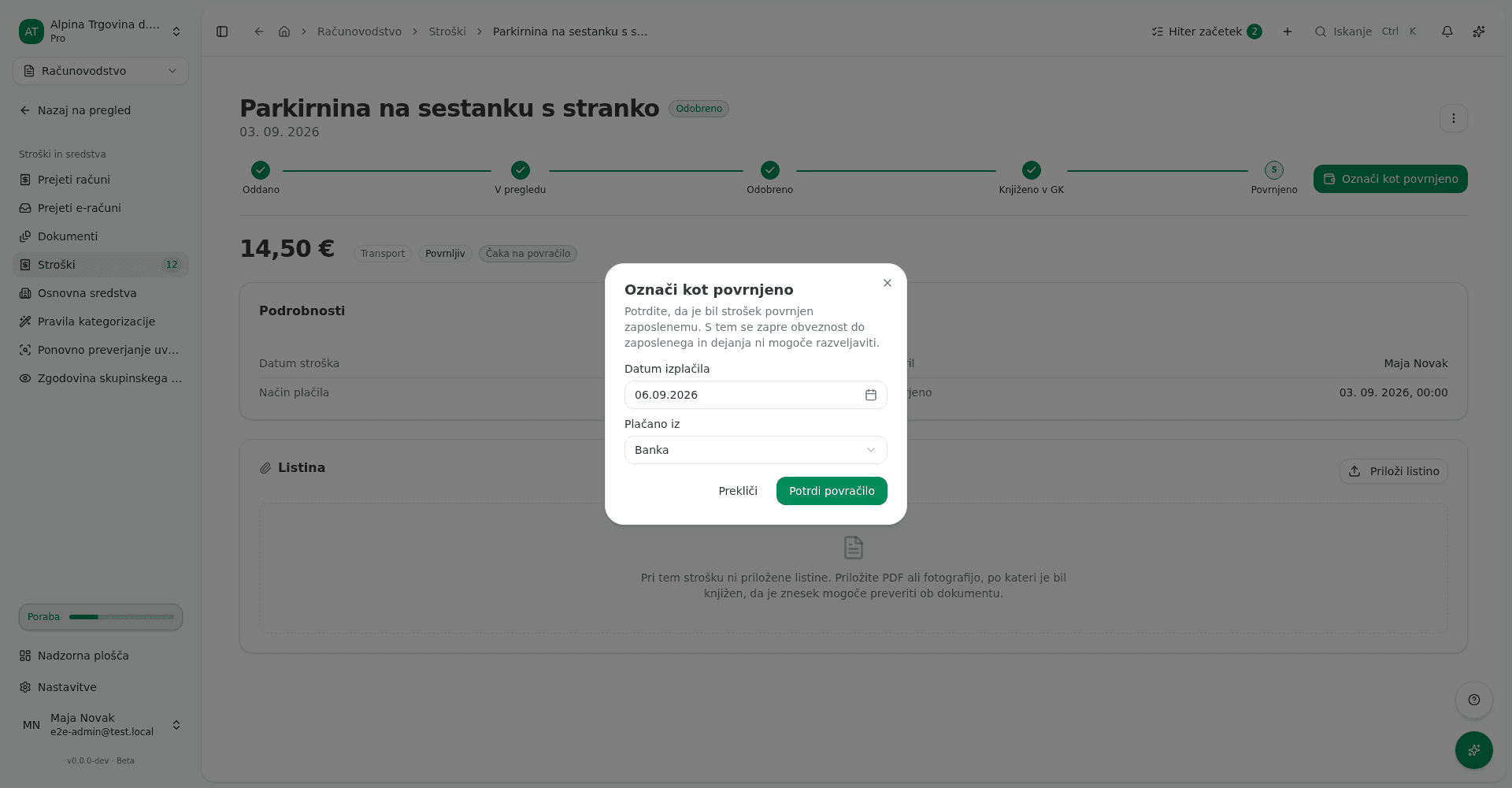
In the dialog that opens, set Datum izplačila (Payout date, defaults to today). For Plačano iz (Paid from), choose Banka (Bank) or Gotovina (Cash).
Choosing Gotovina adds a Blagajna (Cash register) field. Pick the register the money actually left. The payout is then recorded both as a cash-book payment in that register and as a journal entry in the general ledger, so the cash book and the balance on account 1000 stay in step. If you have no EUR cash register yet, Gotovina is unavailable. Create one under Računovodstvo → Blagajna (Accounting, Cash register).
-
Click Potrdi povračilo (Confirm reimbursement).
What success looks like
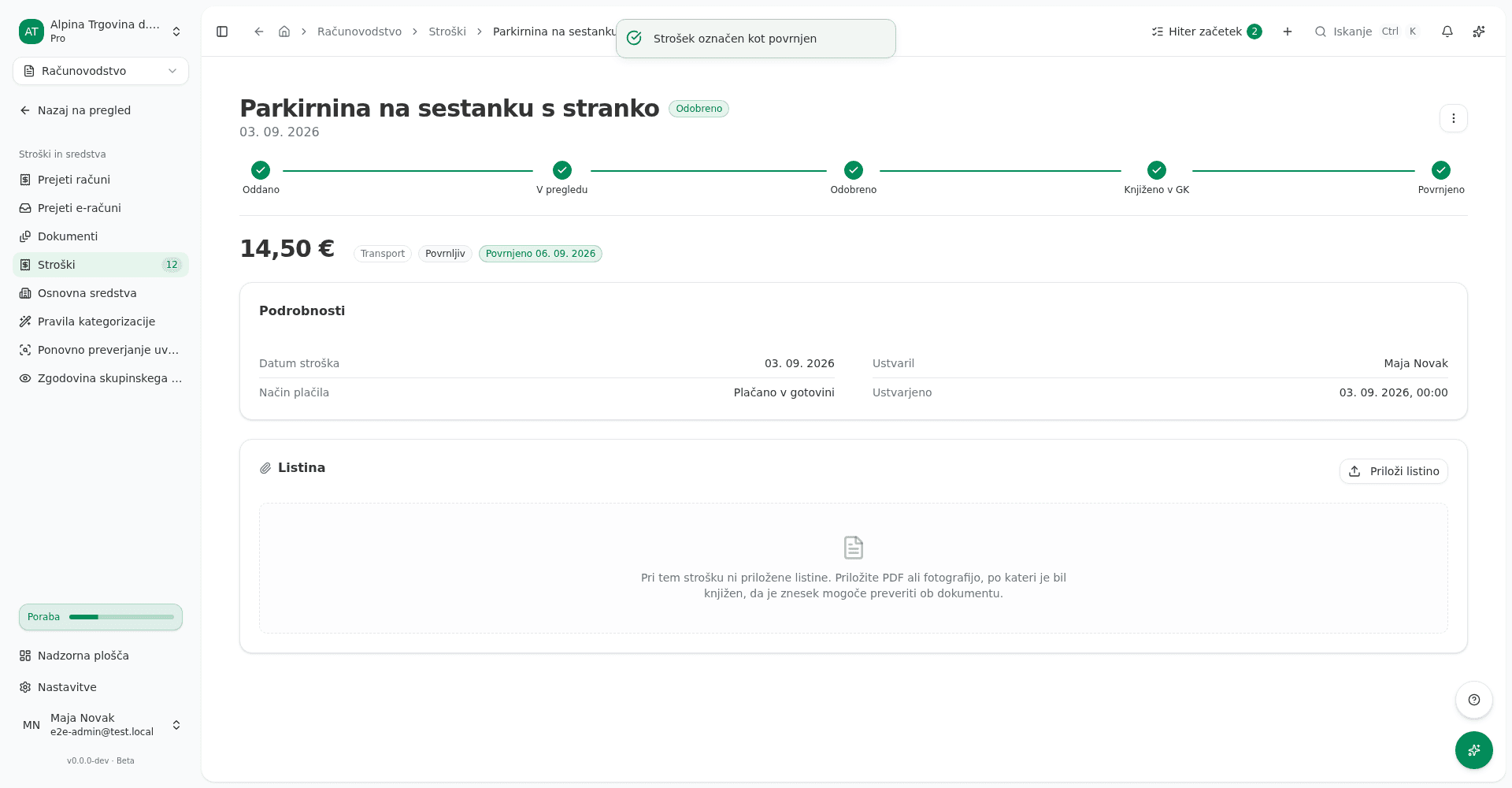
A toast confirms the expense was marked as reimbursed. On the expense’s page:
- The badge next to the amount changes to Povrnjeno (Reimbursed), with the payout date next to it.
- All five workflow steps show as done, including the Povrnjeno step.
- The Označi kot povrnjeno button disappears, since the action cannot be repeated.
On the Stroški (Expenses) list, the Povračilo (Reimbursement) column shows one of three
states for each expense: - for an expense that is not reimbursable, Čaka na povračilo for
an approved reimbursable expense that has not been paid back yet, and Povrnjeno with the
payout date once the payout is recorded.
Entered the wrong payout date? The recording can be taken back, but only through the general ledger. Cancel the reimbursement journal entry, which returns the expense to Čaka na povračilo, then record the payout again at the right date. If someone has already reversed that entry with a storno, cancel the storno first and the reimbursement entry second. Ask your accountant if you are not sure.
Common issues
The “Označi kot povrnjeno” button is not shown. Check two things: is the expense actually marked Povrnljiv, and is it Odobreno? While an expense is still awaiting review, this button is not there. You see the approve and reject actions instead.
“Ta zahtevek za povračilo je že poravnan.” (This reimbursement claim is already settled.) Someone likely recorded the payout already, in another window or with a double click. Refresh the page to see the current state.
“Povrniti je mogoče le strošek, označen za povračilo.” (Only an expense marked for reimbursement can be reimbursed.) The expense was paid directly from the company’s bank account or company card, so nothing is owed to the coworker and no reimbursement step is needed.
“Tega zahtevka še ni mogoče poravnati, ker v glavni knjigi ni zabeležene obveznosti do sodelavca.” (This claim cannot be settled yet: the general ledger holds no recorded debt to the coworker.) The approval either failed to post, or posted against the company bank account, so there is no payable for the payout to discharge. If the expense shows a failed posting, retry it first. Otherwise record the payable with a manual journal entry:
- Open Računovodstvo → Računovodstvo in poročila → Temeljnice (Accounting → Accounting & Reports → Journal Entries) and click Nov (New).
- Enter two lines, both for the expense amount: the expense account under Breme (Debit), and
account
2850 – Obveznosti do zaposlenih za povračila stroškov(employee expense payable) under Dobro (Credit). - On the
2850line, click the link icon (Poveži s stroškom, “Link to expense”) and pick this expense. Once the line is linked the icon darkens from grey to full contrast, and clicking it again names the linked expense. Odstrani povezavo (Remove link) clears it. - Save the entry, open it and click Knjiži (Post). While it is a Osnutek (Draft) it is not in the general ledger yet, so the reimbursement still cannot be recorded.
- Go back to the expense and click Označi kot povrnjeno again.
The link to the expense is the only thing that tells VegaERP the manual entry belongs to this claim. An unlinked entry records no payable for it, even when it is posted to the right account.