Vacation entitlements
This is where you record, per year, how many days of annual leave each employee is entitled to and how many carry over from the previous year. Used and remaining days are worked out for you.
Open the sheet
In the left menu choose Payroll, then Vacation entitlements under employees.
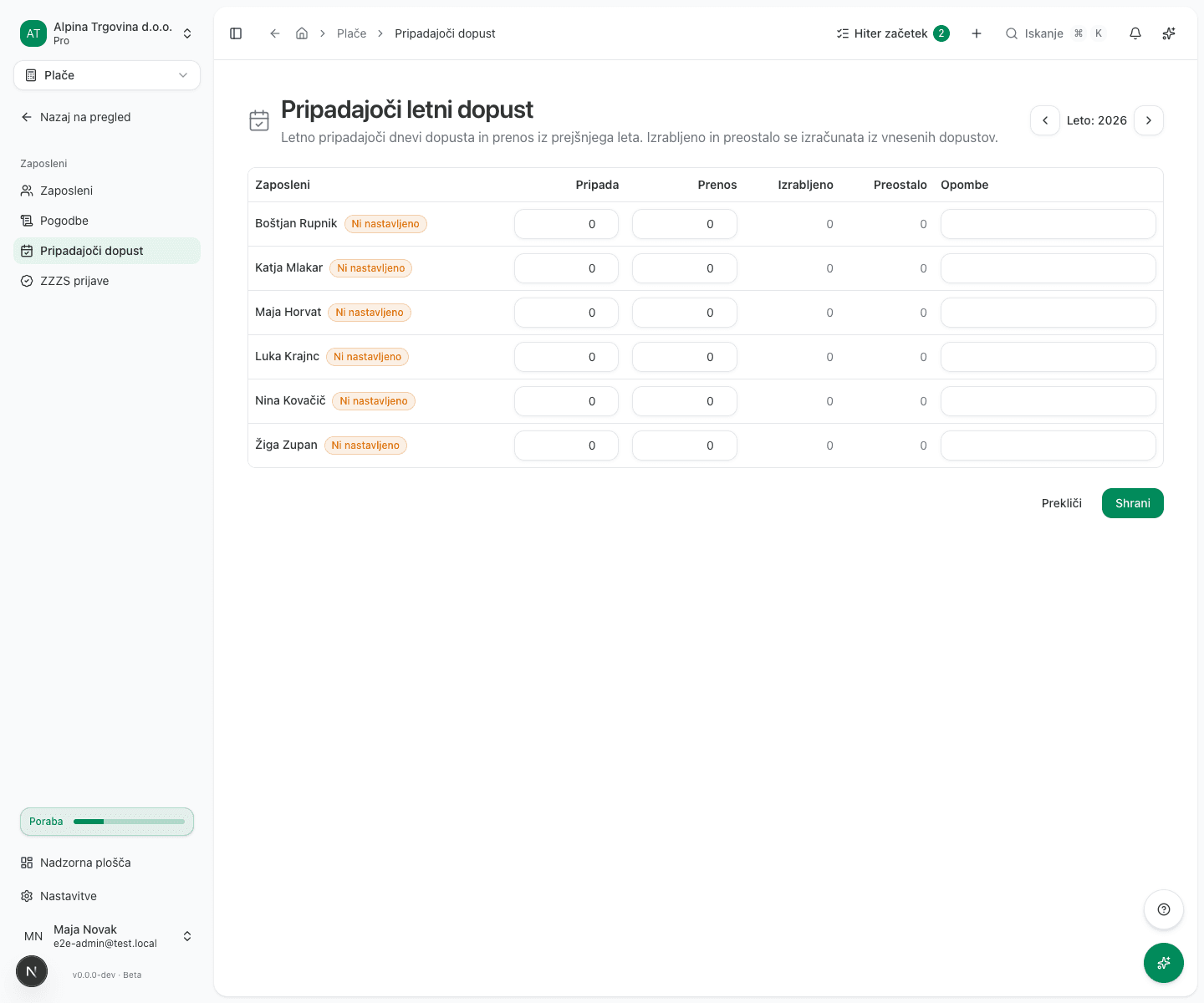
You can also reach it from the absence calendar with Manage vacation entitlements.
Enter the days
- Pick the Year at the top.
- For each employee enter:
- Entitled: the days of annual leave due for that year.
- Carry-over: days carried over from the previous year.
- Notes: optional, for example the basis for extra days.
- Click Save.
An employee you have entered nothing for is marked Not set.
How Used and Remaining are derived
Used and Remaining are not input fields. They are derived from absences of kind Vacation recorded in the calendar:
- Used is the sum of vacation days in the selected year.
- Remaining is
Entitled + Carry-over − Used.
So there is no need to deduct leave by hand. Record the absence in the calendar and this sheet updates itself.
Until Entitled is filled in, it counts as 0 in the calculation. For an employee who has taken no leave yet, Remaining is therefore 0. For an employee who has taken leave, Remaining is negative, because the days used are subtracted from zero. A negative figure here does not mean the employee overdrew their leave. It means the entitlement has not been recorded yet. You can spot those employees by the Not set badge next to the name.
Common issues
An employee shows a negative number of remaining days. No entitlement has been recorded for them this year, while the days they used are already being subtracted from zero. The Not set badge is next to their name. Fill in the Entitled column and save.
Every employee shows 0 remaining. No entitlement has been recorded for that year, and nobody has taken leave yet either. Fill in the Entitled column and save.
Used days do not match. Check that the absences were recorded with the kind Vacation; other absence kinds do not count towards this figure.