Setup profiles
Profili nastavitev (Setup profiles) are templates the firm prepares once and then applies to many clients. Each profile holds a chart of accounts and, optionally, a default monthly fee, a suggested VAT period and an onboarding checklist. Every client gets the same chart and you do not type it in by hand.
A profile only adds the missing accounts to a client. Accounts the client already has (matched by account code) stay unchanged. On a system profile you cannot change the name or the chart, but you can change the profile settings. To adapt the chart, duplicate the profile.
Open the profiles
In the firm sidebar, under Poročila in predloge (Reports and templates), choose Profili nastavitev. Each card shows the profile name, the number of accounts and the Sistemska (System) or Privzeta (Default) badge.
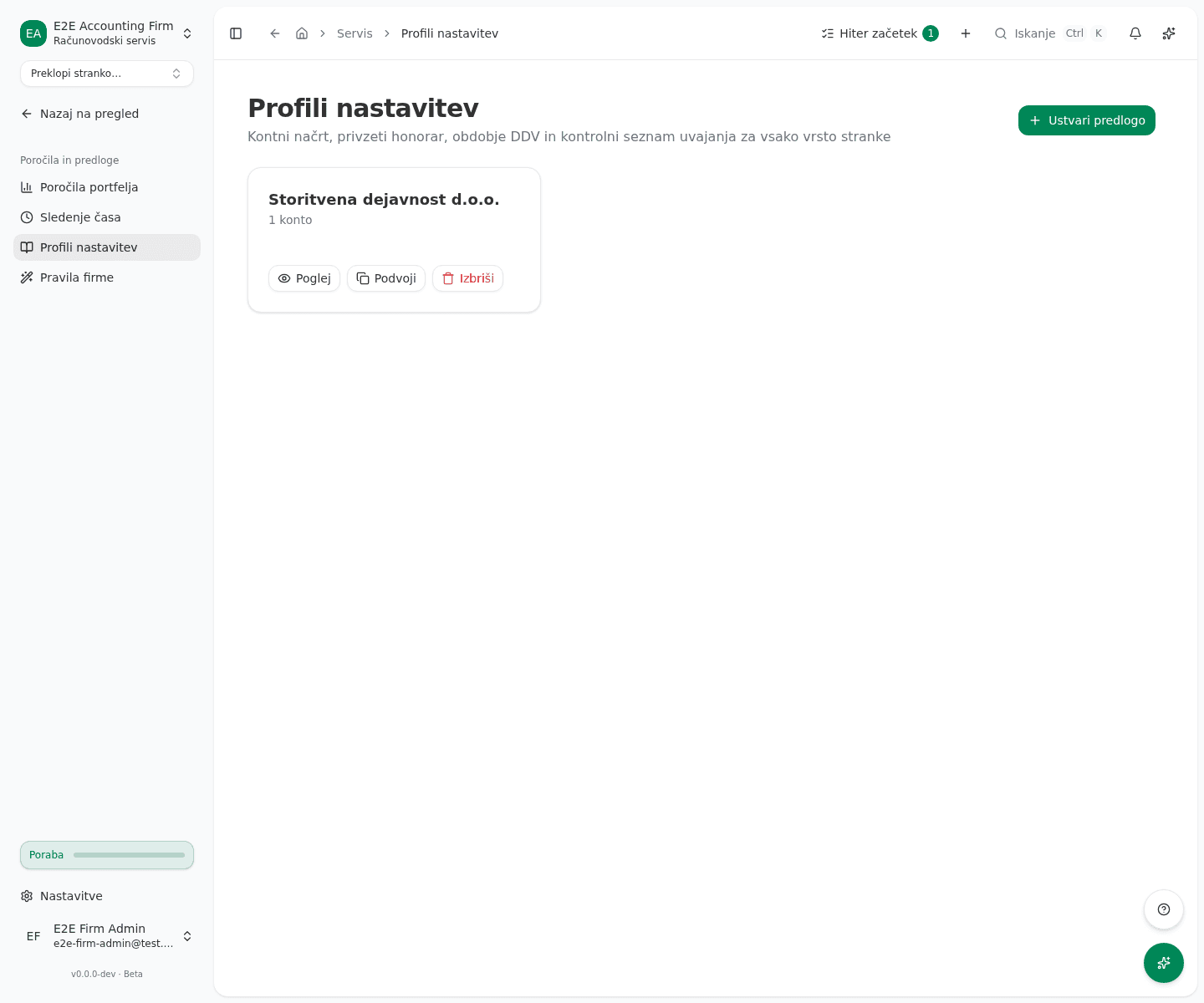
Create your own profile
- Click Ustvari predlogo (Create template).
- Enter Ime predloge (Template name) and, if needed, Opis (Description).
- Click Dodaj konto (Add account) to add accounts. For each, fill in Šifra (Code), Ime (Name), Vrsta (Type), Kategorija (Category) and Običajno stanje (Normal balance).
- In Nastavitve profila (Profile settings), optionally choose Predlagano obdobje DDV (Suggested VAT period), enter Privzeti mesečni honorar (EUR) (Default monthly fee) and choose Kontrolni seznam uvajanja (Onboarding checklist).
- Click Shrani (Save).
The quicker route is Podvoji (Duplicate) on an existing profile’s card: then edit the copy.
Apply a profile to a client
- For a new client, pick the profile in the Profil nastavitev (Setup profile) field of the Dodaj stranko (Add client) dialog. The same field is on Uvoz strank (Import clients). The client gets the chart and the profile settings.
- For an existing client, open the profile with Poglej (View) and click Uporabi za stranko (Apply to client). This gives the client the chart only.
- In the dialog, choose the client and click Uporabi predlogo (Apply template).
- For several clients at once, tick them in the client list and choose Uporabi predlogo nastavitev (Apply setup template). There you can pick the profile separately from the tax regime. The clients get the chart, the profile’s onboarding checklist starts, and the default fee does not change.
What success looks like
- A message says how many new accounts were created. If every account already existed, the message says so and nothing changes.
- On the client’s onboarding checklist, the Kontni okvir uporabljen (Chart applied) step is done.
Common issues
- There is no Izbriši button on a system profile. A system profile cannot be deleted and its chart cannot be changed. Duplicate it and edit the copy.
- The client still lacks an account after applying. The profile has to contain it. Add it to the profile and apply again; existing accounts stay unchanged.
- The client’s VAT period is not set. Predlagano obdobje DDV (Suggested VAT period) is only a suggestion in the pre-filing facts grid. You record it for the client yourself.
- Accounts remain on clients after a profile is deleted. Deleting a profile does not remove accounts clients already received.