Fiscal verification of cash receipts (FURS)
Slovenia requires fiscal verification (davčno potrjevanje računov) for cash and card receipts issued directly to consumers (B2C). VegaERP handles this automatically for eligible receipts.
What triggers fiscal verification
Fiscal verification applies to B2C cash/card sales — point-of-sale-style receipts issued to consumers, not B2B invoices. If you’re issuing a B2B invoice to a business customer, see Invoicing & e-Račun instead — that’s a separate FURS pathway (eSlog/UJP, not fiscal verification). The two are never combined on the same invoice.
Sending a receipt to FURS
-
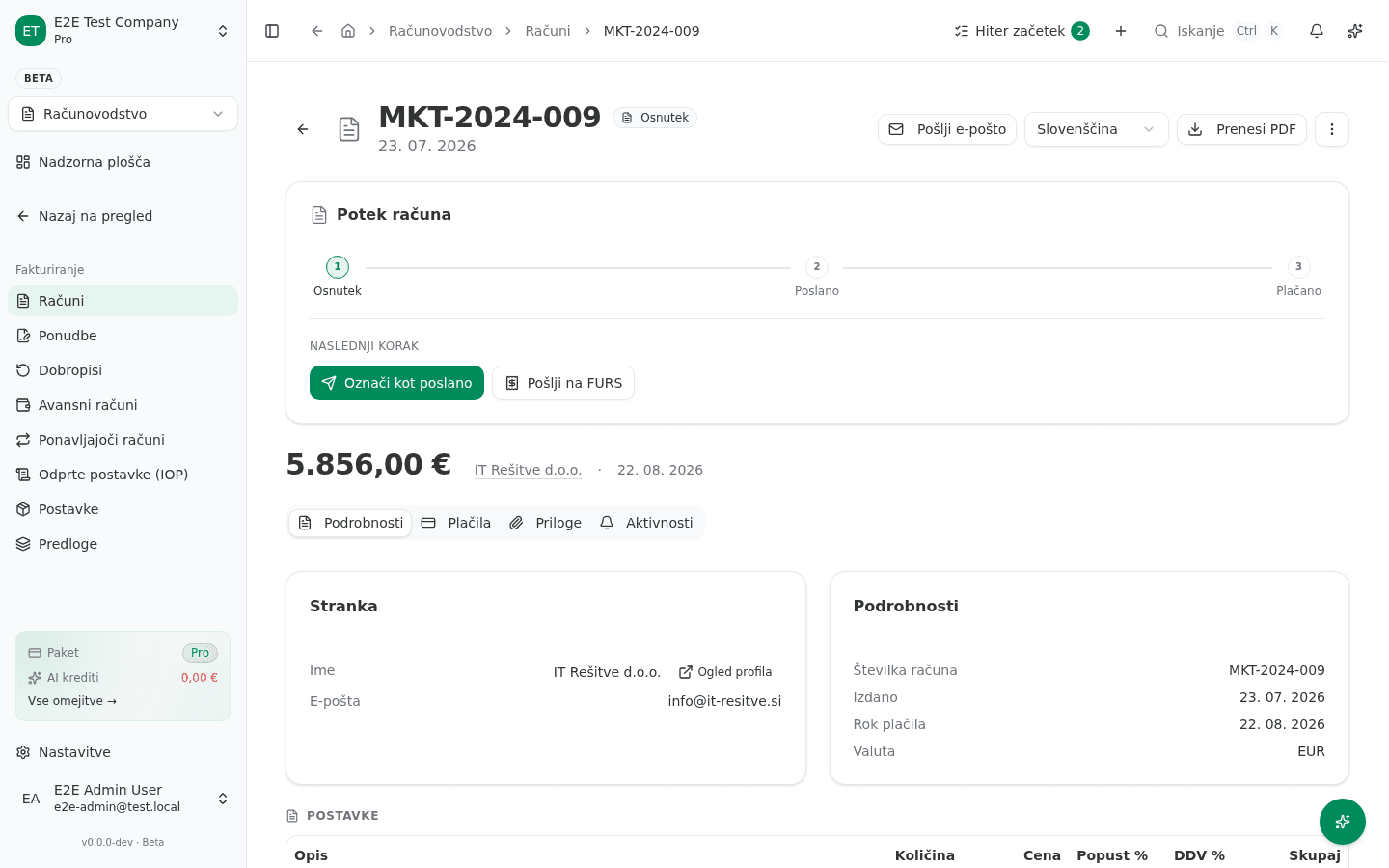
On a draft invoice’s detail page, the workflow progress (Potek računa) shows Pošlji na FURS (“Send to FURS”) as the next step — this only appears while the invoice is still a draft, since fiscalization happens at the point the receipt is finalized.
-
Click Pošlji na FURS. VegaERP confirms: “Ali ste prepričani, da želite poslati ta račun na FURS? Račun bo davčno potrjen in prejel bo EOR kodo.” (“This will fiscally verify the invoice and it will receive an EOR code.”)
-
Confirming submits the receipt to FURS in real time. Once accepted, the invoice detail page shows the ZOI (Zaščitna oznaka — protection code), EOR (Enotna oznaka računa — unique invoice identifier), and a QR koda, which a customer or a FURS inspector can use to verify the receipt was properly reported.
If FURS is temporarily unreachable, the receipt is still issued and queued for verification — Slovenian rules allow submitting within a grace window rather than blocking the sale, but don’t let receipts sit unverified longer than necessary.
Before your first send: certificate and business premises
Pošlji na FURS requires an active FURS certificate uploaded on the company profile (Nastavitve → FURS Certifikat) — if none is configured, VegaERP prompts you to upload one before the send dialog appears at all. Your business premise and the electronic device issuing receipts must also be registered with FURS and configured in VegaERP with matching identifiers. A mismatch here is the most common cause of a receipt failing verification.
If verification fails
Check, in order:
- The business premise and device identifiers in VegaERP match what’s registered with FURS.
- Your FURS certificate is valid and not expired.
- Network connectivity to FURS at the time of the sale — a transient outage is queued for retry rather than a hard failure.
Never disable fiscal verification to “work around” a failure — an unverified B2C cash receipt is a compliance gap, not a convenience.
Common issues
- “Pošlji na FURS” prompts for a certificate instead of sending. Upload a FURS certificate first (Nastavitve → FURS Certifikat) — the send action is gated on it and doesn’t offer the confirm dialog until one is active.
- The step doesn’t appear on an invoice. It only shows for draft B2C invoices — a B2B invoice uses e-Račun / eSlog instead, and an already-sent invoice can’t be re-fiscalized (it already has its ZOI/EOR).