Checking stock levels across warehouses
The Warehouse module (Skladišče) tracks stock separately per physical location — how much of an item you have in one warehouse tells you nothing about another, so always check which warehouse a row belongs to.
Checking stock levels
- In the left sidebar, go to Skladišče → Zaloga (“Warehouse → Stock”).
- The list shows every Postavka (“Item”) per Skladišče (“Warehouse”), with columns Količina na zalogi (on-hand quantity), Rezervirana količina (reserved quantity), and Razpoložljiva količina (available quantity).
- Check Samo nizka zaloga (“Low stock only”) to quickly see items running low.
- The Išči… (“Search…”) box filters by item name or code.
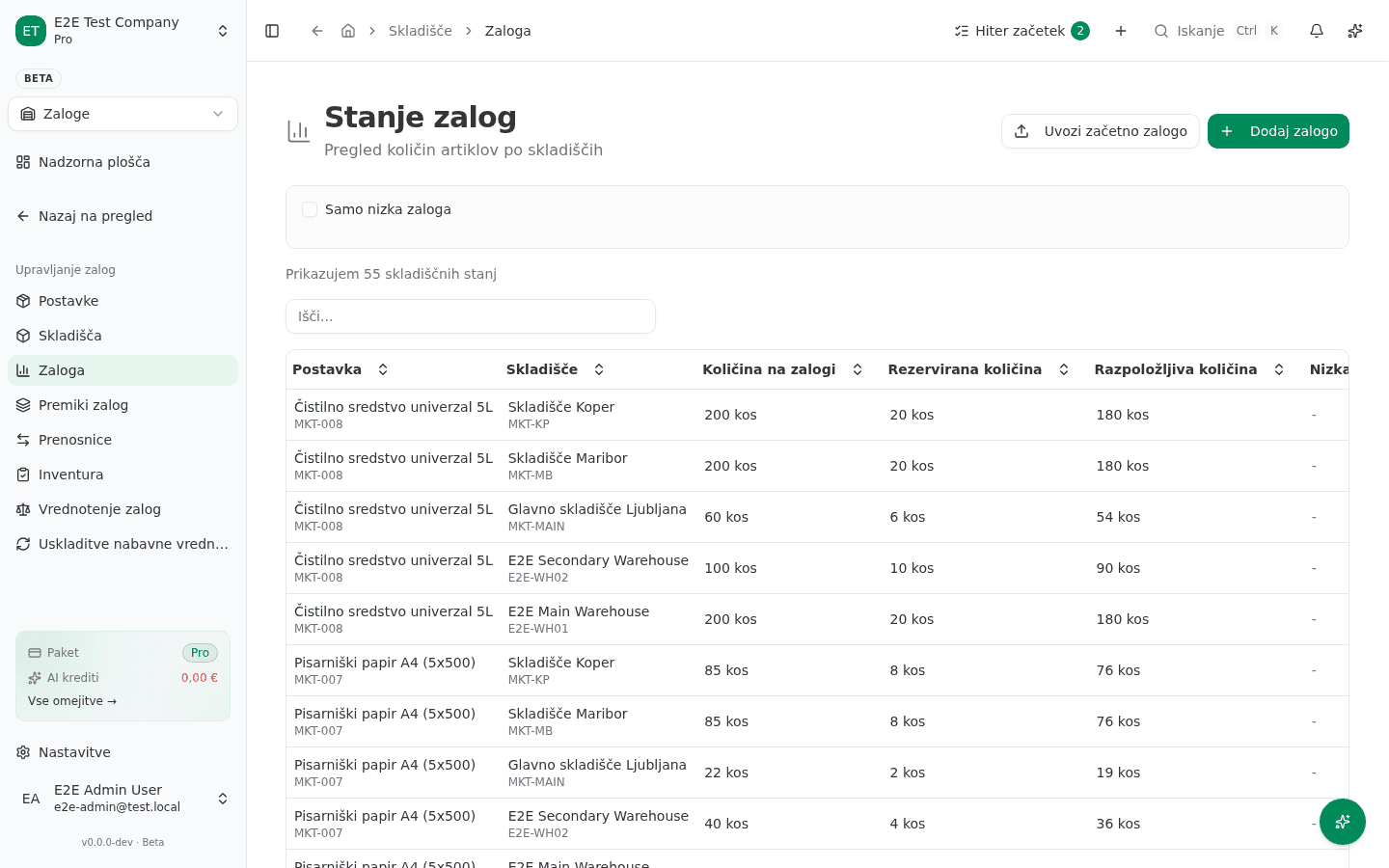
Razpoložljiva količina (available) can be lower than Količina na zalogi (on hand) — the difference is Rezervirana količina, held by an open delivery note or production order that hasn’t shipped yet. That’s not a bug; the item is physically in stock but already promised elsewhere.
Reviewing your warehouses
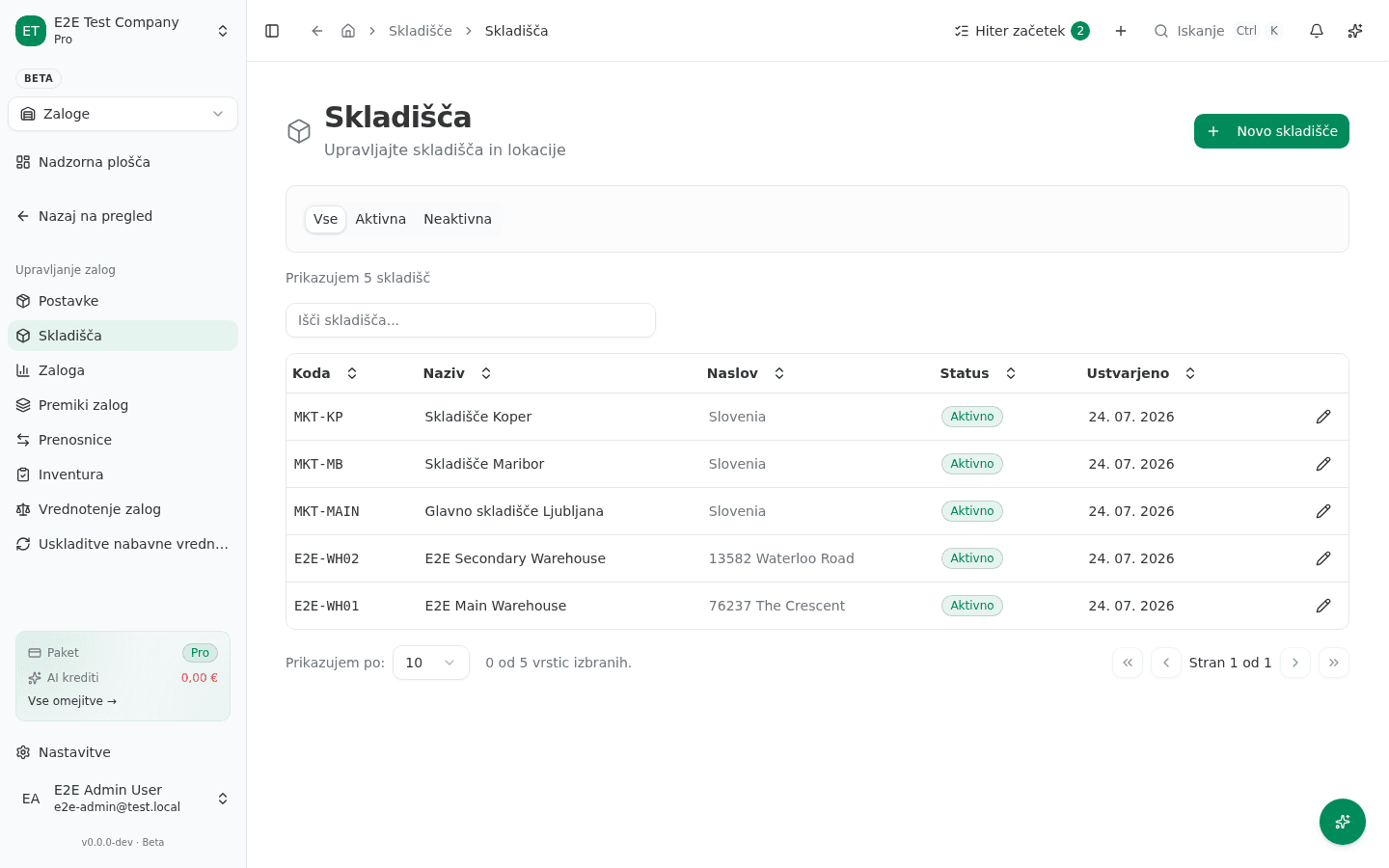
- Go to Skladišče → Skladišča (“Warehouse → Warehouses”).
- The list shows every warehouse: Koda (code), Naziv (name), Naslov (address), and Status (Aktivno/Neaktivno — Active/Inactive).
- Add a new location with Novo skladišče (“New warehouse”) in the top right.
Common failure
- An item shows “0 kos” (0 units) when you know you have stock. Stock is always tied to one warehouse — check you’re reading the row for the right Skladišče; the same item can carry stock in a different warehouse, shown as a separate row.
- A sale can’t reserve stock even though the on-hand quantity looks high enough. Check Rezervirana količina — another open document (a delivery note, a production order) may already be holding part of the stock.
Last updated on