Adding customers, suppliers, and deals (CRM)
The CRM module keeps every contact under Partners (Partnerji) and every sales opportunity under Deals (Posli). Every invoice, quote, or delivery note references a partner from this list — set the partner up before you issue your first document.
The app’s screen labels below are quoted from its Slovenian UI, since that’s what the product actually shows; the numbered steps still work if you’ve switched the app to its English UI.
Adding a partner
- In the left sidebar, go to CRM → Partnerji (“Partners”).
- Click Dodaj partnerja (“Add partner”) in the top right.
- For a Slovenian company, enter the tax number and click Pridobi iz FURS (“Fetch from FURS”) — the name, address, and VAT-payer status fill in automatically from the business registry. (The button is labelled “FURS”, but it actually pulls from the AJPES business registry — see the note below.)
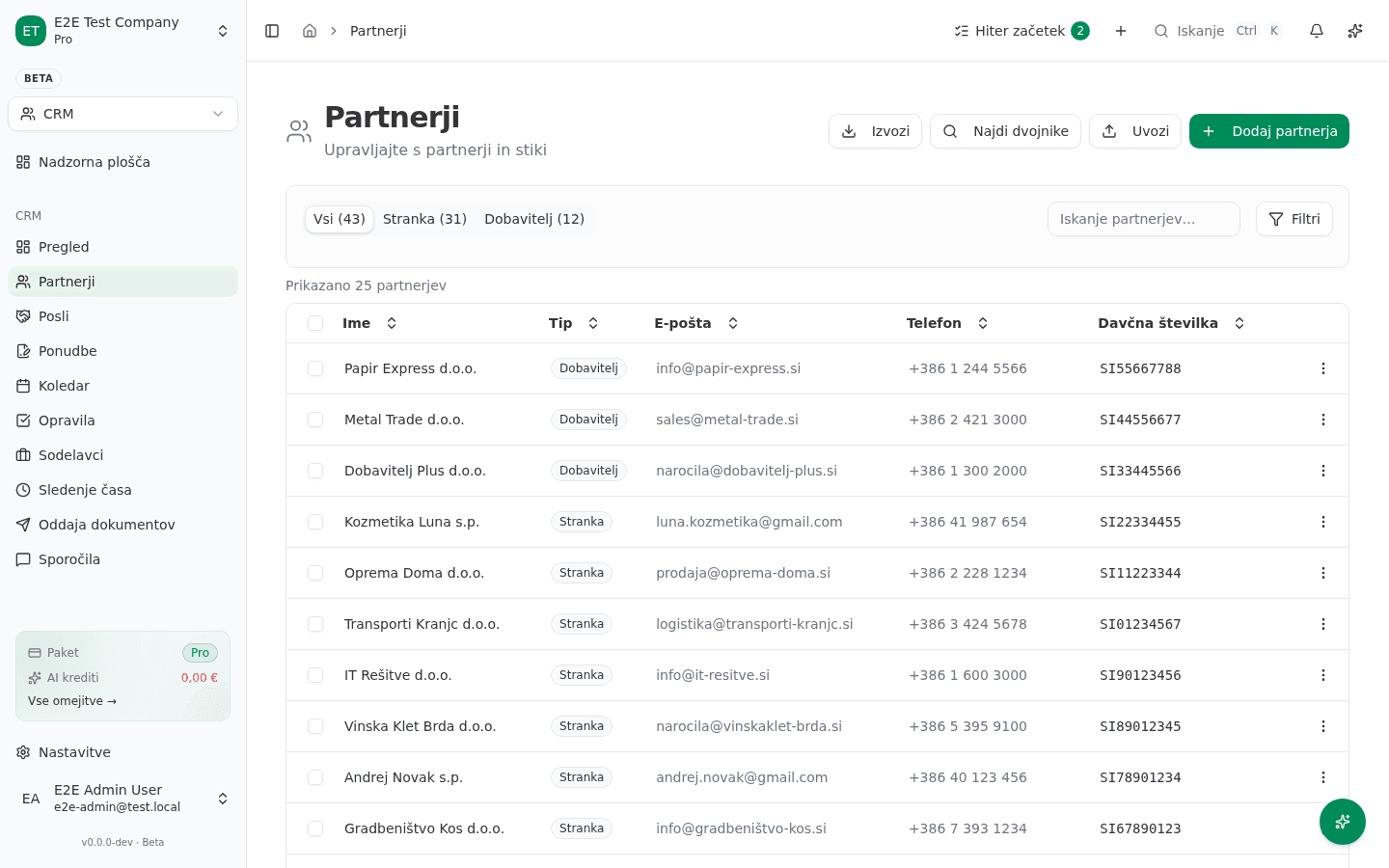
- If the company isn’t found in the registry, enter the fields manually: Ime (Name), E-pošta (Email), Telefon (Phone), Davčna številka (Tax number), Naslov (Address), Transakcijski račun (IBAN) (Bank account).
- Under Tip (“Type”), choose Stranka (Customer), Dobavitelj (Supplier), or Stranka in dobavitelj (Customer and supplier) — if you both sell to and buy from this partner, pick the combined option instead of creating two records.
- Optionally set a Privzeti popust (%) (default discount) and add Oznake (tags) for filtering later.
- Click Shrani (“Save”).
The new partner appears in the Partnerji list, which also shows a quick customer/supplier breakdown at the top.
Finding duplicate entries
If you suspect the same partner was entered twice (a common outcome of a manual entry plus a later import), use Najdi dvojnike (“Find duplicates”) in the Partnerji list toolbar instead of deleting records blindly — check which one has linked invoices or deals first.
Adding a deal
- Go to CRM → Posli (“Deals”).
- Click Dodaj posel (“Add deal”).
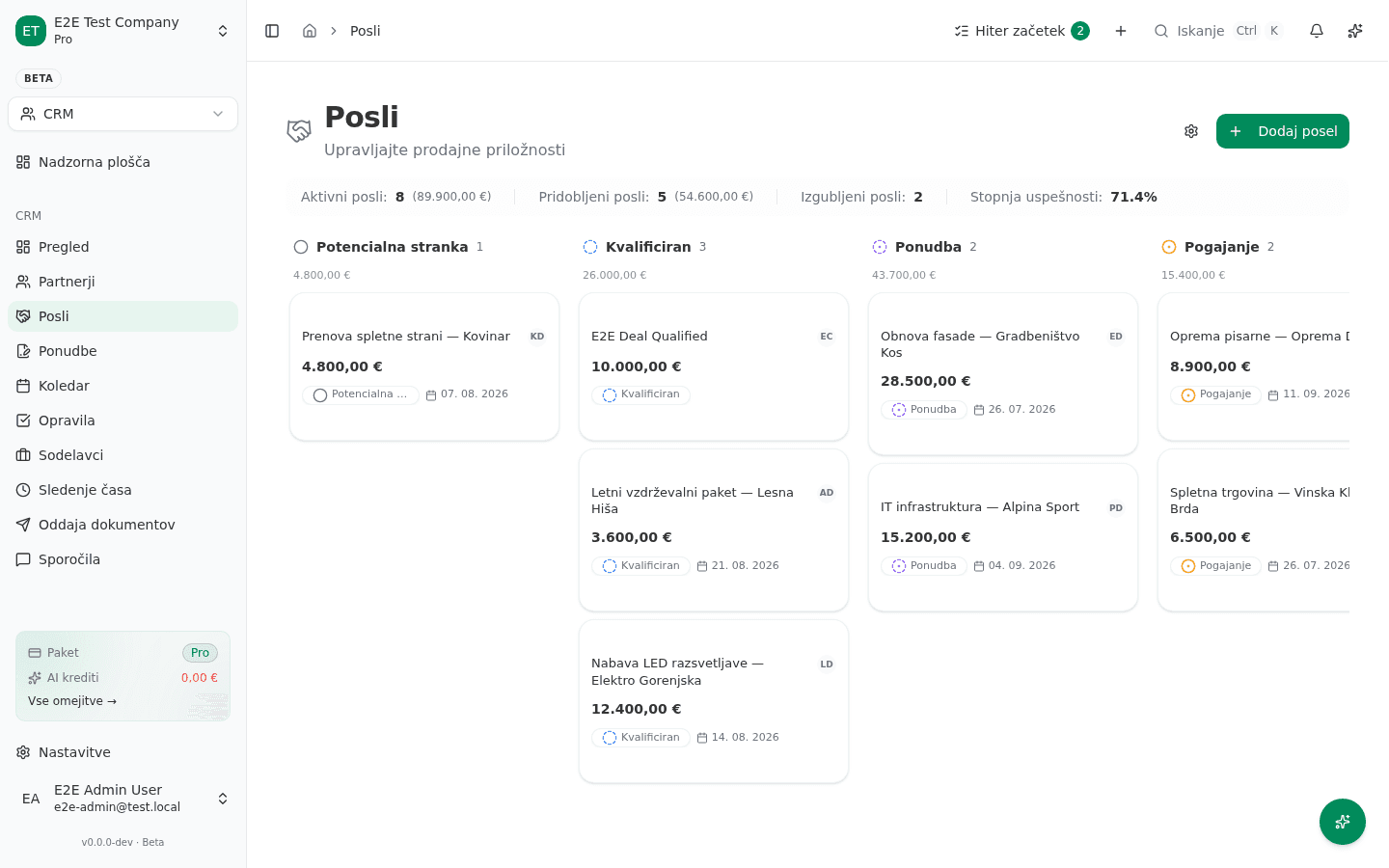
- Enter a Naziv posla (deal name), pick the Stranka (customer), a Vrednost (value), and a starting Faza (stage).
- The deal appears as a card in the matching pipeline column; drag it to the next column as it progresses.
The columns in the screenshot below (Potencialna stranka, Kvalificiran, Ponudba, Pogajanje …) are this tenant’s default pipeline stages — your own pipeline can be customized via Prilagodi prodajni lijak (“Customize pipeline”) in the module settings, so your stage names may differ.
Common failure
- A partner doesn’t show up when picking a customer on an invoice. Check whether it was saved with the wrong Tip — a partner saved as Dobavitelj (Supplier) won’t appear when you search for a customer. Fix the Tip field on the existing partner instead of creating a duplicate.
- FURS/AJPES data looks out of date. The registry lookup only runs when you fetch it — it doesn’t refresh automatically on save. If a partner’s address or VAT status changed, open their details and click Osveži (“Refresh”).