Accounting firms & multi-client access
If you’re an accounting firm (računovodski servis) serving multiple client companies, VegaERP is built for that model directly — not as a workaround on top of single-company accounts.
The tenant model
Every client company is its own isolated tenant — its data, documents, and financial records never mix with another client’s, even though you access them from one firm account. This isolation is absolute at the data layer, not just a UI filter.
Viewing your client roster
-
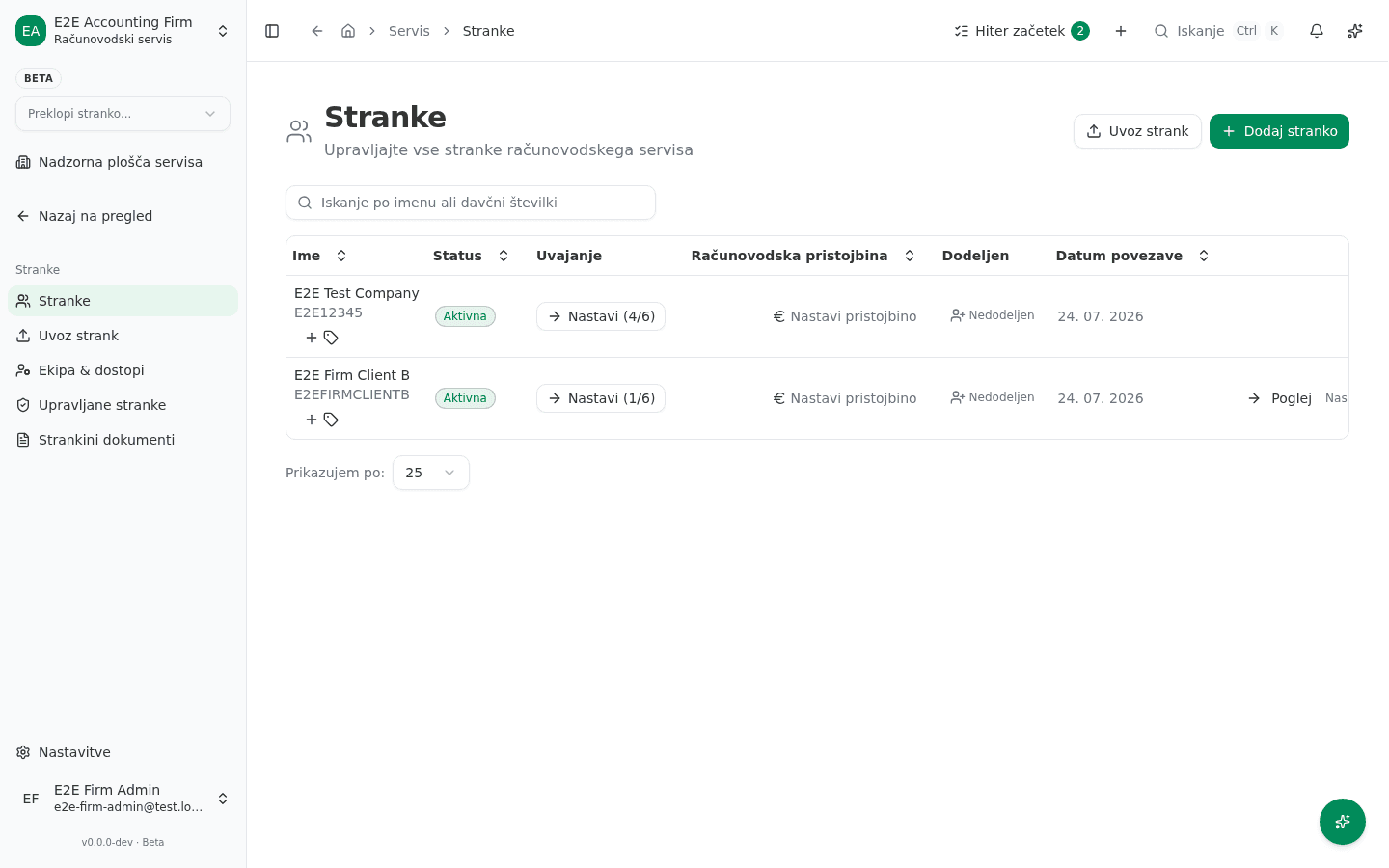
In the left sidebar, go to Servis → Stranke (“Firm → Clients”).
-
The list shows every connected client: Ime (name and tax number), Status (Aktivna/Čakajoča/V postopku prekinitve/Prekinjena — Active/Pending/Offboarding/ Disconnected), Uvajanje (onboarding progress, e.g. “Nastavi (4/6)”), Računovodska pristojbina (accounting fee), and Dodeljen (which accountant is assigned).
-
Add a new client with Dodaj stranko (“Add client”), or link one already registered in the system with Poveži obstoječo (“Link existing”) — the client must confirm the link on their side before you get access.
Getting access to a client’s tenant
Access to a client tenant is explicit and auditable — a firm doesn’t get silent, automatic access just by association. Access is granted through the connect/approval flow above, and access changes (granting, revoking) are scoped to specific people, not blanket role assignments. This matters if staff turnover happens on either side: removing a person from the firm doesn’t imply they should still see client data, and vice versa.
Switching between clients
Once you have access to multiple client tenants, use Preklopi stranko… (“Switch client…”) at the top of the sidebar to jump between them without re-authenticating. Type to filter and pick a client from the list.
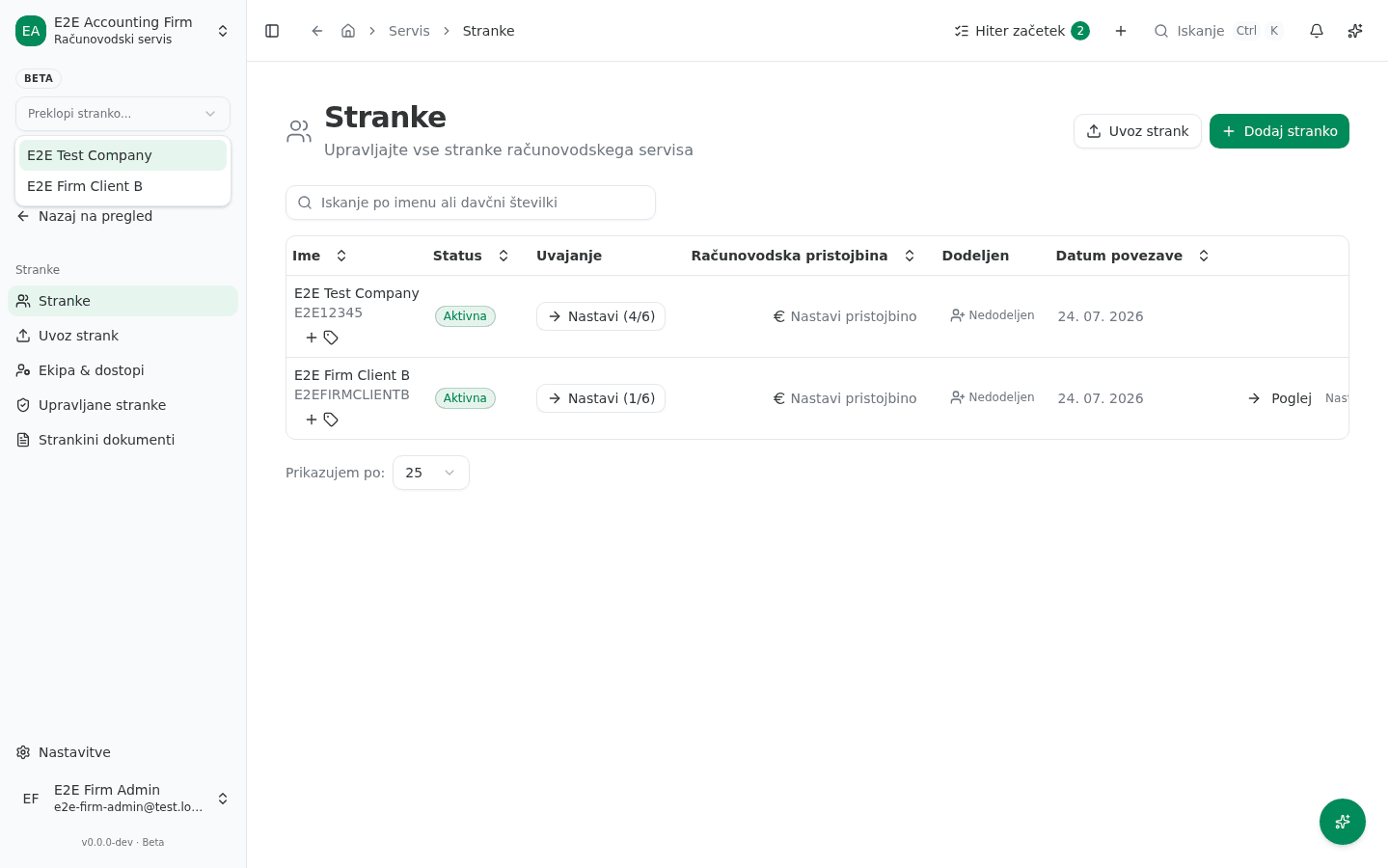
Each switch is a clean context change — cached data from one client’s tenant is never carried into another’s view.
Good practice
- Grant access per person, not per role blanket — when someone leaves the firm, revoke their specific access rather than relying on a role change to cascade correctly.
- Periodically review which staff have access to which clients, especially after a client offboards or a staff member changes teams.
Common issues
- A client shows “Nedodeljen” (Unassigned). Nobody at the firm is set as their accountant yet — assign one from the client row so tasks and notifications route to the right person.
- Can’t send an invite / send a request. The client’s tax-number registration must match what they use in their own VegaERP account for a link request to resolve — a typo’d tax number leaves the request pending indefinitely on your side.